
Best HVAC Software Stack for Small Business vs Enterprise
Discover the ideal software stack for HVAC companies at every stage of growth, including CRM, dispatching, estimating, accounting, marketing, and customer communication tools.
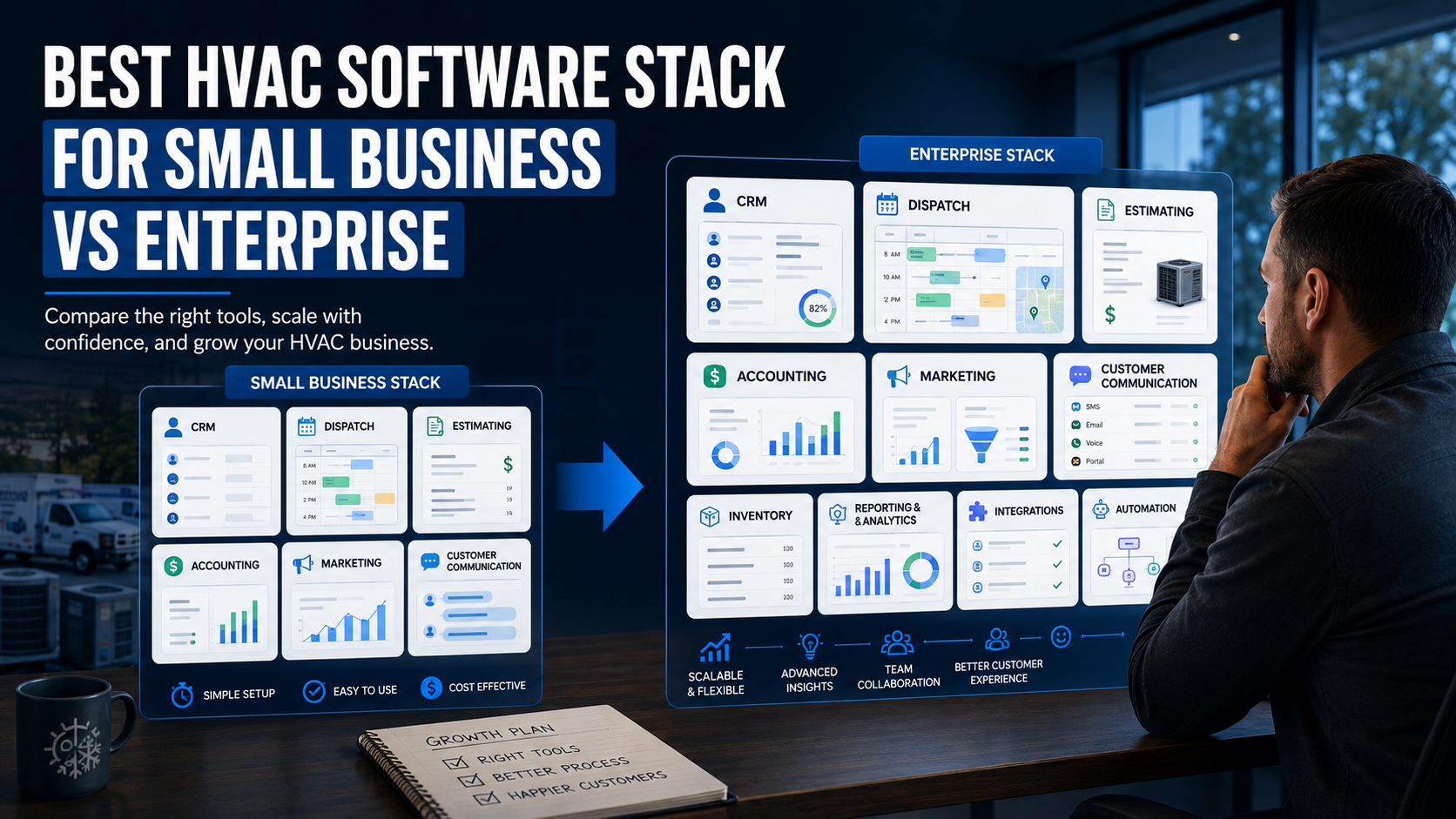
Table of Contents
Introduction
Most HVAC companies do not need more software.
They need the right software doing the right job.
A small company can get buried under subscriptions it does not use.
A larger company can lose money because its software stack is too simple for the amount of work moving through the business.
The goal is not to build the biggest tech stack.
The goal is to make sure calls get answered, jobs get booked, estimates get followed up, invoices get paid, technicians stay productive, and customers come back.
That is what a good HVAC software stack should do.
This guide breaks down what software small HVAC companies need, what growing companies should add, and when enterprise platforms start making sense.
What Is an HVAC Software Stack?
An HVAC software stack is the group of tools your company uses to run the business.
That can include software for:
- Customer management
- Scheduling and dispatch
- Estimates and invoices
- Payments
- Accounting
- Maintenance memberships
- Job costing
- Marketing
- Reviews
- Customer communication
- Reporting
- Technician training
The mistake is buying a separate tool for every problem.
That creates more logins, more duplicate data, more confusion, and more things the office has to manage.
The better approach is simple:
Start with the systems that protect revenue.
Add tools only when the business has outgrown the current process.
The Core HVAC Software Categories
Before comparing small-business and enterprise stacks, it helps to understand what each category is supposed to do.
CRM and Field Service Management
This is the center of the stack.
It should manage customer records, job history, scheduling, dispatch, estimates, invoices, payments, memberships, and follow-up.
For most HVAC companies, this is the platform the office and field team use every day. A strong field service management software platform often becomes the operating system for the entire business.
Accounting
Your field-service platform can help you run jobs.
Your accounting software helps you understand whether the business is actually making money.
It should help manage:
- Payroll
- Expenses
- Accounts payable
- Accounts receivable
- Financial reporting
- Bank reconciliation
- Taxes
- Profit and loss statements
Do not manage the business from the bank account.
A healthy bank balance does not always mean a healthy company.
Estimating and Price Books
Technicians should not be making up prices in the driveway.
A price-book system helps create consistent pricing, better repair options, and stronger margins.
This becomes more important as you add technicians.
When every technician prices differently, you do not have a pricing system.
You have a guessing problem.
Dispatch and Scheduling
Dispatch is not just about filling open spots on the calendar.
It is about getting the right technician to the right job at the right time.
Every unnecessary truck roll costs money.
Every technician sitting in traffic costs money.
Every missed detail can create a callback.
Your dispatch tools should make it easier to see the board, technician availability, job history, customer notes, and schedule gaps. Companies comparing platforms specifically for this need should review the best HVAC dispatch software options.
Marketing and Lead Tracking
Marketing software should help you answer one question:
Where are profitable jobs coming from?
That may include tools for:
- Website forms
- Call tracking
- Google Ads
- Local Services Ads
- Email campaigns
- Text-message follow-up
- Lead-source reporting
- Review requests
Traffic does not pay payroll.
Booked jobs do.
Customer Communication
A customer should not have to wonder whether you received their request, when the technician is arriving, or whether their estimate was sent.
Communication tools can help with:
- Appointment reminders
- On-the-way notifications
- Estimate follow-up
- Payment reminders
- Maintenance reminders
- Review requests
- Post-install check-ins
The easiest customer to sell to is the one who already trusts you.
Good communication helps protect that trust.
Best HVAC Software Stack for Small Companies
A small HVAC company does not need enterprise software.
It needs a simple system the team will actually use.
For most one- to five-truck companies, the stack should stay lean.
Recommended Small Business Stack
| Business Need | What You Need |
|---|---|
| CRM and field service | Jobber or Housecall Pro |
| Accounting | QuickBooks Online |
| Payments | Built-in payment processing through your field-service platform |
| Estimates and invoices | Built-in quoting and invoicing tools |
| Scheduling and dispatch | Built-in calendar and technician scheduling tools |
| Reviews and follow-up | Built-in review requests plus email or text reminders |
| Marketing | Google Business Profile, website forms, call tracking, and email follow-up |
The goal is not to create a dozen systems.
The goal is to get customer information, jobs, estimates, invoices, payments, and follow-up into one place.
Why Small Companies Need Simplicity
A small company usually has one owner wearing too many hats.
They may be running calls, answering the phone, dispatching technicians, sending estimates, and checking invoices after dinner.
At that stage, software should reduce work.
It should not create another full-time admin job.
A lean stack helps the company:
- Stop missing calls
- Keep job notes organized
- Send estimates faster
- Collect payments faster
- Track customer history
- Build a maintenance base
- Follow up without relying on memory
That is enough to create a major improvement.
For a more detailed look at buyer-friendly platform options, review best HVAC CRM software compared.
What Small Companies Should Avoid
Avoid buying expensive enterprise software because you want to look like a bigger company.
You may not need:
- Advanced department reporting
- Complex inventory systems
- Multi-location controls
- Deep project management
- Enterprise-grade call-center tools
- Complex commercial workflows
You need software that your office and technicians will use every day.
Simple beats impressive when the team is small.
Best HVAC Software Stack for Growing Companies
Once the company reaches five to 15 trucks, the problems change.
The owner cannot see everything anymore.
Calls are being handled by office staff.
Dispatch is more complicated.
Technicians have different skill levels.
Memberships are growing.
Install work is becoming a bigger part of the business.
At this stage, you need more structure.
Recommended Growing Company Stack
| Business Need | What You Need |
|---|---|
| CRM and field service | FieldEdge, Housecall Pro, or ServiceTitan depending on complexity |
| Accounting | QuickBooks Online or a more structured accounting workflow |
| Payments | Integrated payments with clearer reporting and collection workflows |
| Price books | Standardized flat-rate or digital price-book system |
| Dispatch | Role-based dispatch board with technician visibility |
| Job costing | Labor, materials, and margin tracking by job |
| Marketing | Call tracking, lead-source reporting, review automation, email and text follow-up |
| Customer retention | Membership tracking, maintenance reminders, estimate follow-up, review requests |
What Changes at This Stage
The company now needs consistency.
You cannot let every technician price work differently.
You cannot rely on the owner to remember every customer issue.
You cannot let estimates sit for two weeks without follow-up.
You cannot send the wrong technician because the dispatcher did not know the job history.
The goal is not just to get organized.
The goal is to create repeatable systems.
At this stage, it can help to compare HVAC CRM systems for small to large contractors based on reporting depth, technician workflows, dispatch controls, and future scalability.
The Software Questions Growing Companies Should Ask
Before adding more tools, ask:
- Which department is losing the most money?
- Are estimates being followed up?
- Are memberships being renewed?
- Can we see revenue by technician?
- Can we see which jobs are losing margin?
- Can dispatch see technician skill level and job history?
- Can we track lead source through booked job and revenue?
- Is the office entering the same information in multiple systems?
The answers tell you what to add next.
Best HVAC Software Stack for Enterprise Companies
A larger HVAC company has a different problem.
It is not just trying to get organized.
It is trying to keep multiple departments aligned.
At this stage, the business may have:
- A call center
- Multiple dispatchers
- Service managers
- Install managers
- Comfort advisors
- Dedicated accounting staff
- Multiple locations
- Large membership programs
- Commercial accounts
- Warehouse and inventory needs
- Marketing teams
- Leadership teams reviewing department performance
That requires a more connected stack.
Recommended Enterprise Stack
| Business Need | What You Need |
|---|---|
| Core operating platform | ServiceTitan or another enterprise field-service platform |
| Accounting and finance | Connected accounting system with stronger financial controls |
| Job costing | Department, install, labor, material, and margin reporting |
| Dispatch | Advanced scheduling, technician performance, routing, and capacity management |
| Sales | Proposal tools, financing workflows, comfort-advisor reporting, and close-rate tracking |
| Marketing | Attribution, call tracking, campaign reporting, reputation management, and retention automation |
| Communication | Automated customer updates, call-center tools, text, email, and follow-up workflows |
| Operations | Inventory, purchasing, warehouse controls, install workflows, and project management |
| Business intelligence | Dashboards for leadership, department managers, and financial performance |
Why Enterprise Companies Need Fewer Disconnected Tools
At a certain size, disconnected software becomes expensive.
One team may have customer data in the CRM.
Another team may have job costs in a spreadsheet.
Accounting may not match field invoices.
Marketing may know lead volume but not revenue.
Install managers may be tracking labor in another system.
That creates blind spots.
A larger company needs one reliable source of truth.
The goal is not to eliminate every outside tool.
The goal is to make sure the core systems talk to each other.
For larger businesses evaluating the jump from traditional CRM tools into more complex systems, HVAC CRM vs. ERP is a useful distinction to understand before making a major software investment.
Small Business vs Enterprise: What Actually Changes?
The biggest difference is not the number of features.
It is the amount of control the company needs.
| Area | Small Business | Enterprise HVAC Company |
|---|---|---|
| Scheduling | Simple calendar and technician assignment | Advanced dispatch, routing, capacity, and department coordination |
| Estimates | Basic quotes and approvals | Price books, financing, sales reporting, and proposal workflows |
| Reporting | Jobs, invoices, payments, and customer activity | Department profitability, technician performance, job costing, marketing attribution |
| Memberships | Basic recurring service reminders | Renewal rates, membership sales, service-agreement reporting, retention workflows |
| Accounting | Basic accounting and invoice sync | Connected financial controls, payroll, department reporting, and forecasting |
| Marketing | Google Business Profile, website, reviews, email follow-up | Attribution, call tracking, campaigns, call-center reporting, retention automation |
| Leadership | Owner sees most decisions | Managers own departments, KPIs, and accountability |
Small companies need simplicity.
Enterprise companies need visibility.
Growing companies need to know when they are moving from one to the other.
The Biggest Software Stack Mistakes HVAC Companies Make
Buying Too Much Too Early
A one-truck company does not need a giant enterprise platform.
The team will not use half the features.
The owner will pay for complexity they do not need.
Buy software that matches the business you have now.
Staying Too Simple for Too Long
The opposite problem is just as expensive.
A company grows to 10 or 15 trucks but still runs on spreadsheets, text messages, and manual follow-up.
That creates missed calls, lost estimates, inconsistent pricing, poor dispatch, and no visibility into profit.
At some point, the business outgrows the simple stack.
Adding Tools That Do Not Connect
Too many disconnected tools create duplicate work.
The office enters customer information twice.
The technician cannot see the latest notes.
Accounting has to clean up invoices.
Marketing cannot track which leads became real revenue.
Every disconnected system creates more admin work.
Expecting Software to Fix Bad Operations
Software cannot fix:
- Weak pricing
- Poor call handling
- Bad technician communication
- No estimate follow-up
- Weak leadership
- No accountability
- A team that refuses to follow process
Software supports a good operating system.
It does not create one.
How to Build Your HVAC Software Stack
Start with the bottleneck.
Do not start with a demo.
Step 1: Fix the Core Workflow
Make sure you can manage:
- Calls
- Scheduling
- Dispatch
- Estimates
- Invoices
- Payments
- Customer history
- Follow-up
That is the foundation.
Step 2: Add Tools That Protect Profit
Once the basics are working, add systems for:
- Price books
- Job costing
- Memberships
- Review requests
- Call tracking
- Lead-source reporting
- Marketing follow-up
These tools help you see where money is leaking out.
Companies that want one connected platform for these workflows should compare all-in-one HVAC business software before adding separate subscriptions one at a time.
Step 3: Add Complexity Only When Needed
Move to more advanced software when your current systems are creating real bottlenecks.
That may be:
- Dispatch complexity
- Weak technician accountability
- Lost memberships
- Unclear install margins
- Multiple departments
- Commercial projects
- Multi-location operations
- No visibility into performance
The best software stack grows with the business.
It does not get built all at once.
For a broader overview of platforms across different company sizes, see top HVAC software tools ranked by real contractor needs.
FAQ
What software does a small HVAC company need?
Most small HVAC companies need a core field-service platform, accounting software, integrated payments, scheduling and dispatch, estimates and invoices, customer follow-up, review requests, and a Google Business Profile.
What software does a growing HVAC company need?
Growing HVAC companies usually need stronger dispatch, price books, job costing, membership management, lead tracking, technician reporting, and automated follow-up.
Does an HVAC company need an ERP system?
Not usually at the beginning.
Most HVAC companies need a strong field-service platform before they need an ERP.
ERP systems make more sense when the business has more departments, locations, inventory, commercial work, financial complexity, and operational reporting needs.
Should HVAC companies use separate software for marketing?
Sometimes.
Your field-service platform may handle basic reminders, reviews, and customer communication.
As marketing becomes more advanced, you may add call tracking, email automation, advertising tools, reputation management, and lead-source reporting.
Final Thoughts
The best HVAC software stack is not the biggest one.
It is the one that helps your company stop losing money through missed calls, weak dispatch, poor follow-up, inconsistent pricing, late invoices, and unclear reporting.
Small companies need a lean stack.
Growing companies need stronger systems.
Enterprise companies need connected operations and accountability.
Build the stack around your biggest bottleneck.
Then add complexity only when the business is ready for it.
Continue Reading
- Best HVAC CRM Software Compared
- Best HVAC CRM Systems for Small to Large Contractors
- Top HVAC Software Tools Ranked by Real Contractor Needs
- HVAC CRM vs. ERP: What Is the Difference?
- All-in-One HVAC Business Software
- Best HVAC Dispatch Software Compared
- Field Service Management Software for HVAC Companies