
ServiceM8 vs Jobber: Which Is Better for HVAC Contractors?
Compare ServiceM8 and Jobber for HVAC contractors based on pricing, scheduling, mobile apps, quoting, invoicing, recurring work, reporting, and small-business fit.
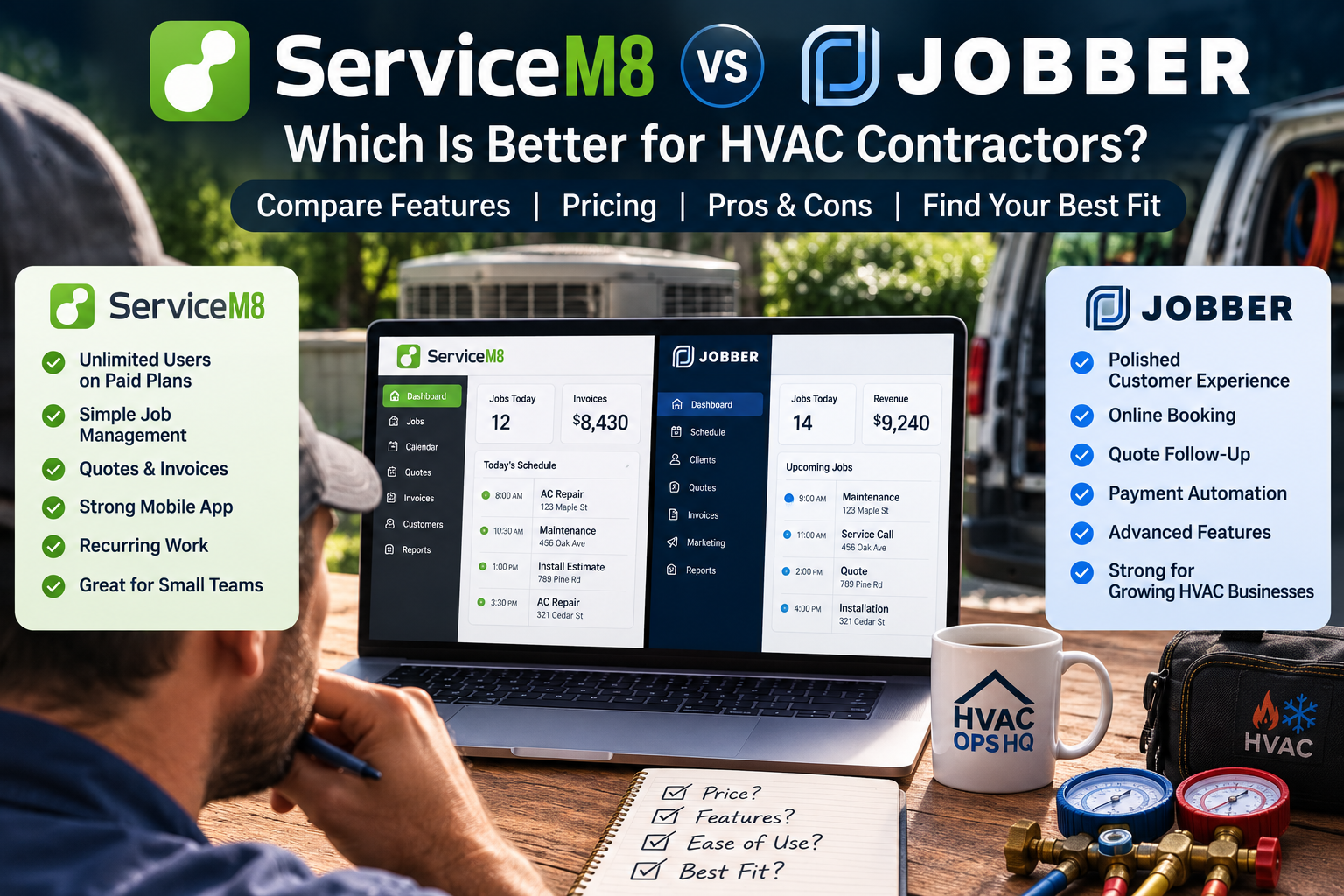
Table of Contents
Introduction
ServiceM8 and Jobber both help small service businesses get organized.
For HVAC contractors, that usually means replacing a messy mix of:
- Paper job sheets
- Text-message dispatch
- Shared calendars
- Spreadsheet customer lists
- Manual quotes
- Late invoices
- Scattered customer notes
- Missed follow-up
Both platforms can help a small HVAC business run cleaner day-to-day work.
But they are not the same.
ServiceM8 is often attractive because of its simple pricing, unlimited users on paid plans, strong mobile workflow, and job-based structure.
Jobber is often attractive because it is familiar to many North American home-service businesses, has strong customer-facing tools, and offers a polished workflow for scheduling, quotes, invoices, payments, reminders, and follow-up.
The question is not:
“Which software has more features?”
The better question is:
“Which one fits the way your HVAC company actually works?”
This comparison breaks down ServiceM8 vs Jobber by pricing, features, ease of use, technician workflow, recurring work, reporting, and best-fit contractor type.
Quick Verdict
ServiceM8 is usually the better fit for very small HVAC contractors that want affordable job management, unlimited users on paid plans, mobile workflows, quoting, invoicing, and simple recurring work.
Jobber is usually the better fit for small HVAC companies that want a more polished home-service platform with stronger client-facing workflows, online booking, reminders, quote follow-up, payments, and room to grow into more advanced service-business features.
The simple version:
| Choose ServiceM8 if… | Choose Jobber if… |
|---|---|
| You want lower-cost field service software | You want a more established home-service platform |
| You have multiple users but modest job volume | You want stronger client communication and follow-up workflows |
| You care about simple job management and mobile access | You want a smoother customer-facing experience |
| You want unlimited users on paid plans | You are comfortable paying more as the team grows |
| You are a small contractor getting organized | You are a small service company trying to professionalize operations |
For a broader category breakdown, see field service management software for HVAC.
What ServiceM8 and Jobber Both Do
ServiceM8 and Jobber both help contractors manage the basic service workflow.
For an HVAC company, that workflow usually looks like this:
| Step | Service Workflow |
|---|---|
| 1 | Customer calls or submits a request |
| 2 | Office creates the job |
| 3 | Technician gets scheduled |
| 4 | Technician receives job details |
| 5 | Quote or work order is completed |
| 6 | Invoice is sent |
| 7 | Payment is collected |
| 8 | Customer history is saved |
| 9 | Follow-up or recurring work is scheduled |
That is the core job cycle.
If your HVAC company is still managing that process through memory, texts, and spreadsheets, either platform can be a meaningful upgrade.
The real difference is how each system handles growth, pricing, users, customer communication, and workflow depth.
ServiceM8 Overview
ServiceM8 is field service management software built for small trade and service businesses.
For HVAC contractors, it can help with:
- Scheduling
- Job management
- Quotes
- Invoices
- Payments
- Technician mobile access
- Customer history
- Photos and job notes
- Recurring jobs
- Client communication
- Reporting
- Accounting integrations
ServiceM8 is especially appealing to small teams because its paid plans include unlimited users.
That matters when the owner, office admin, bookkeeper, and technicians all need access but the company does not want software costs to climb with every login.
The tradeoff is that ServiceM8 pricing is tied heavily to monthly job volume.
That can work well for small companies with several users but controlled job count.
For the full breakdown, read the ServiceM8 review for HVAC contractors.
Jobber Overview
Jobber is field service management and CRM software built for home-service businesses.
For HVAC contractors, it can help with:
- Customer management
- Scheduling
- Dispatch
- Quotes
- Invoices
- Online payments
- Online booking
- Client reminders
- Quote follow-up
- Job forms and checklists
- Two-way text messaging on higher plans
- Job costing on higher plans
- Client Hub
- Reporting
- App marketplace integrations
Jobber is usually a strong fit for small HVAC companies that want a clean, professional system for managing customers, jobs, quotes, invoices, payments, and follow-up.
Its biggest advantage is that it feels built around the customer journey.
A homeowner can request work, approve a quote, receive reminders, pay an invoice, and interact with the company through a more polished service workflow.
The tradeoff is that Jobber can become more expensive as the team grows and as you need higher-tier features.
For a deeper review, see Jobber Review for HVAC Businesses.
Pricing Comparison
Pricing is one of the biggest differences between ServiceM8 and Jobber.
ServiceM8 is usually easier to understand for small teams because paid plans include unlimited users and pricing is based around job volume.
Jobber is built around plan tiers, included users, and feature access. Lower plans may work well for solo operators or small teams, but higher tiers may be needed for automations, job costing, two-way SMS, advanced quoting, marketing tools, or more included users.
ServiceM8 Pricing
At the time of writing, ServiceM8’s U.S. pricing is structured around job volume:
| ServiceM8 Plan | Price | Users | Job Volume |
|---|---|---|---|
| Free | $0/month | 1 user | 30 jobs/month |
| Starter | $29/month | Unlimited users | 50 jobs/month |
| Growing | $79/month | Unlimited users | 150 jobs/month |
| Premium | $149/month | Unlimited users | 500 jobs/month |
| Premium Plus | $349/month | Unlimited users | 1,500+ jobs/month |
This can be attractive for small HVAC companies with several people who need access.
For example, if the owner, dispatcher, two technicians, and a bookkeeper all need logins, ServiceM8’s unlimited-user structure may be easier to budget.
The main question is job volume.
If your company runs a high number of small jobs each month, you need to make sure the plan limit still fits.
Jobber Pricing
At the time of writing, Jobber pricing starts with lower-cost solo and small-team options, then increases as you move into team plans and advanced features.
| Jobber Plan | Starting Price | Included Users | Best For |
|---|---|---|---|
| Core | Starting at $29/month billed annually | 1 user | Solo operator or very small business |
| Connect | Starting at $99/month billed annually | 5 users | Teams needing reminders, payment automation, checklists, follow-up, and QuickBooks sync |
| Grow | Starting at $149/month billed annually | 10 users | Teams needing richer quotes, two-way SMS, workflow automations, and job costing |
| Plus | Starting at $399/month billed annually | 15 users | Larger small businesses needing marketing, pipeline, AI receptionist, onboarding, and premium support |
Jobber can be very reasonable for a solo owner.
But as soon as the company needs more users or higher-tier features, the monthly cost can rise quickly.
That does not mean Jobber is overpriced.
It means you need to compare the full cost against the workflow improvements you actually need.
Pricing Verdict
| Category | Winner |
|---|---|
| Lowest starting paid plan | Tie |
| Multiple users at low cost | ServiceM8 |
| More home-service feature depth | Jobber |
| Easier pricing for several users | ServiceM8 |
| More scalable feature tiers | Jobber |
| Best for strict budget control | ServiceM8 |
| Best for customer-facing workflows | Jobber |
If your main concern is giving several people access without jumping into a higher monthly plan, ServiceM8 may be easier to justify.
If your main concern is customer experience, automated follow-up, quoting, payment workflows, and growth features, Jobber may be worth the higher cost.
Scheduling and Dispatch
Both ServiceM8 and Jobber can help with scheduling and dispatch.
For a small HVAC company, the key questions are:
- Can the office see the schedule clearly?
- Can jobs be assigned easily?
- Can technicians see job details?
- Can the customer be updated?
- Can job status be tracked?
- Can the team reduce back-and-forth texting?
ServiceM8 gives small contractors a practical way to create jobs, schedule them, assign staff, and keep job details together.
Jobber also handles scheduling and dispatch, but its workflow may feel more polished for small home-service teams, especially when combined with client reminders, online booking, and customer communication tools.
For deeper dispatch-specific buying criteria, read best HVAC dispatch software compared.
Technician Mobile App
The technician app matters because the field team is where the software either works or fails.
A good HVAC technician workflow should give the field team access to:
- Job notes
- Customer address
- Contact details
- Equipment history
- Photos
- Quote details
- Invoice tools
- Payment collection
- Tasks or checklists
- Office communication
ServiceM8 has a strong mobile-first feel and is designed around completing work in the field.
Jobber also has a strong mobile workflow, especially for small service companies that need technicians to view jobs, update progress, send quotes, create invoices, and collect payment.
The practical difference is fit.
ServiceM8 may feel leaner and more job-focused.
Jobber may feel more complete for the full customer journey.
Quotes, Estimates, and Proposals
For HVAC companies, quoting is not just about making a document look professional.
It affects profit.
A quote needs to protect labor, materials, overhead, margin, and scope.
ServiceM8 supports quoting and invoicing, which can be enough for many small HVAC contractors handling repairs, maintenance, and simpler replacements.
Jobber’s quoting workflow may be stronger for companies that want polished customer-facing quotes, optional line items, automated quote follow-up, and richer proposal presentation on higher plans.
That matters when the company wants to improve close rate or present clear options to homeowners.
For contractors focused heavily on repair pricing, equipment replacement, and proposal structure, see HVAC estimating software.
Invoicing and Payments
Both platforms can help HVAC companies invoice faster and collect payment more consistently.
That matters because a completed job should not sit unpaid because paperwork is stuck in the office.
ServiceM8 lets contractors create quotes and invoices, send them to customers, and accept payments.
Jobber also supports invoicing and online payments, with stronger payment automation and follow-up features available on higher plans.
For a small contractor, either platform can reduce late invoices and manual follow-up.
The better fit depends on how much automation and customer-facing payment convenience you want.
Customer Communication
Customer communication is one area where Jobber often has an advantage.
Jobber is built heavily around the client experience, including client reminders, quote follow-ups, online booking, Client Hub, and automated communication tools depending on plan.
ServiceM8 also supports communication tools, including confirmations, reminders, on-the-way messages, and customer updates.
But Jobber tends to feel more purpose-built for small home-service businesses that want a polished customer journey from request to payment.
If your company’s problem is mainly internal organization, ServiceM8 may be enough.
If your company’s problem is follow-up, customer reminders, quote approvals, and reducing office admin, Jobber may have the edge.
Recurring Work and Maintenance Plans
Maintenance work is important for HVAC companies.
It creates repeat visits.
It keeps customers connected.
It creates future repair and replacement opportunities.
ServiceM8 includes recurring job tools, which can support repeat maintenance visits and scheduled work.
Jobber also supports recurring work and can help teams manage repeat visits, reminders, and follow-up.
The difference is how deep your maintenance workflow needs to be.
For simple recurring tune-ups, either can work.
For more advanced membership management, renewal tracking, customer segments, service agreement reporting, and sales accountability, a more HVAC-focused platform may eventually be needed.
Reporting and Visibility
Small HVAC companies do not need dozens of dashboards.
But they do need visibility into the basics:
- Jobs completed
- Open quotes
- Invoices sent
- Payments collected
- Revenue
- Team productivity
- Follow-up
- Outstanding work
ServiceM8 includes reporting and can help small contractors understand job activity, productivity, and revenue.
Jobber includes built-in reporting, with more advanced profitability and job-costing features available on higher plans.
If you need simple operational visibility, both can help.
If you need stronger job costing, quote performance, lead tracking, and business growth reporting, Jobber’s higher-tier plans may be more useful.
For a broader view of what small and growing contractors should track, see best HVAC CRM software compared.
ServiceM8 Pros and Cons
| Pros | Cons |
|---|---|
| Simple field-service workflow | Less familiar than Jobber for some U.S. contractors |
| Paid plans include unlimited users | Pricing is tied to job volume |
| Good fit for small trade businesses | May feel lighter for growing HVAC operations |
| Strong mobile workflow | May need setup discipline to fit HVAC-specific workflows |
| Useful quoting, invoicing, payments, and job history | Not built around every advanced HVAC process |
| Lower-cost path for teams with several users | Deep reporting and advanced workflows may require another platform |
Jobber Pros and Cons
| Pros | Cons |
|---|---|
| Strong fit for small home-service businesses | Costs rise as plan needs increase |
| Polished customer-facing workflow | Core plan is limited for teams |
| Good scheduling, quoting, invoicing, and payment tools | Advanced features require higher plans |
| Strong client communication and follow-up tools | Larger HVAC operations may eventually outgrow it |
| Good fit for moving away from spreadsheets | Not as deep as enterprise HVAC platforms |
| More familiar brand in North American home services | Additional users can increase cost |
Who Should Choose ServiceM8?
ServiceM8 is usually the better choice when:
- You are a small HVAC contractor
- You want simple field service management
- You need multiple users without a high monthly cost
- Your job volume fits the plan limits
- You want mobile job access for technicians
- You need quotes, invoices, payments, and job notes in one place
- You are not ready for a heavier HVAC software platform
- You want to replace spreadsheets, texts, and paper workflows
ServiceM8 is especially attractive for a small team that needs organization more than advanced automation.
The key is making sure its workflow matches how your company handles HVAC service, maintenance, and quoting.
Who Should Choose Jobber?
Jobber is usually the better choice when:
- You are a small residential HVAC company
- You want a polished home-service workflow
- You need better customer communication
- You want online booking or request forms
- You want quote and invoice follow-up
- You care about reminders and customer self-service
- You want a system your office can learn quickly
- You are willing to pay more for stronger customer-facing tools
Jobber is especially useful when the company wants to look more professional to customers while also improving internal organization.
If customer experience and follow-up are major issues, Jobber may be the better fit.
Who Should Consider Something Bigger?
Neither ServiceM8 nor Jobber may be enough if your HVAC company has:
- Multiple departments
- A large service team
- Install crews
- Comfort advisors
- Complex commercial work
- Advanced price books
- Deep membership reporting
- Department-level dashboards
- Heavy job costing needs
- Multiple branches
- Inventory and purchasing workflows
At that stage, you may need FieldEdge, ServiceTitan, BuildOps, or another larger HVAC-focused platform.
For a broader software-stage comparison, see top HVAC software tools ranked by real contractor needs.
ServiceM8 vs Jobber: Side-by-Side Comparison
| Category | ServiceM8 | Jobber |
|---|---|---|
| Best fit | Small trade businesses | Small home-service businesses |
| HVAC fit | Good for simple service workflows | Good for small residential HVAC teams |
| Pricing style | Job-volume based | Plan and user/feature tier based |
| Users | Unlimited users on paid plans | Included users vary by plan |
| Scheduling | Good for small teams | Strong for small service teams |
| Mobile app | Strong mobile job workflow | Strong field and customer workflow |
| Quotes/invoices | Practical and simple | More polished, especially on higher plans |
| Customer communication | Useful communication tools | Stronger client-facing workflow |
| Recurring work | Supports recurring jobs | Supports repeat work and follow-up |
| Reporting | Practical small-business visibility | Stronger growth features on higher plans |
| Best advantage | Lower-cost access for multiple users | Better home-service customer journey |
| Main caution | May feel light for growing HVAC companies | Can get expensive as needs grow |
Common Mistakes When Choosing Between ServiceM8 and Jobber
Choosing Based Only on Price
ServiceM8 may look cheaper for teams with several users.
Jobber may look more expensive once you need multiple seats or higher-tier features.
But price alone is not the decision.
The right question is:
Which platform will help us stop losing the most money?
If missed quotes, late invoices, and poor communication are costing more than the software, the more expensive platform may still be the better value.
Ignoring Technician Adoption
If technicians do not use the app, the system fails.
Before choosing either platform, make sure technicians can easily:
- View jobs
- Add notes
- Upload photos
- Send quotes
- Create invoices
- Collect payment
- Update job status
A platform the field team actually uses is better than a more powerful system they avoid.
Overbuying Too Early
A one- or two-truck HVAC company probably does not need enterprise software.
ServiceM8 or Jobber may be enough to fix the immediate problem.
Do not buy a bigger platform just to look like a bigger company.
Waiting Too Long to Upgrade
The opposite mistake is staying too simple after the business becomes more complex.
If dispatch, memberships, installs, reporting, and job costing become serious bottlenecks, the company may need a more advanced system.
Software should match the stage of the business.
Final Recommendation
Choose ServiceM8 if you want a simple, affordable field service platform with unlimited users on paid plans, mobile job management, quotes, invoices, payments, and recurring jobs.
Choose Jobber if you want a more polished home-service platform with stronger customer communication, online booking, client reminders, quote follow-up, payment workflows, and growth features.
For very small HVAC contractors, ServiceM8 may be the more cost-efficient starting point.
For small residential HVAC companies that want a better customer journey and more polished service workflow, Jobber may be the better long-term fit.
The best question is not:
“Which software is better?”
Ask:
“Which one solves the problem that is costing our HVAC company the most money right now?”
That answer will usually point you in the right direction.
FAQ
Is ServiceM8 better than Jobber for HVAC contractors?
Not automatically.
ServiceM8 may be better for small contractors that want lower-cost job management and unlimited users on paid plans.
Jobber may be better for small residential HVAC companies that want stronger customer communication, online booking, follow-up, and a more polished home-service workflow.
Is Jobber more expensive than ServiceM8?
Usually, Jobber can become more expensive as you need more users and higher-tier features.
ServiceM8’s paid plans include unlimited users, but pricing is tied to monthly job volume.
The better deal depends on your team size, job count, and feature needs.
Which is better for a one-truck HVAC company?
A one-truck HVAC company could use either platform.
ServiceM8 may be attractive if the owner wants simple job management and low cost.
Jobber may be attractive if the owner wants a more polished customer workflow, online booking, reminders, and quote/payment follow-up.
Which is better for a growing HVAC company?
For a growing HVAC company, Jobber may offer more customer-facing and automation features before the company moves into larger HVAC platforms.
But if the company grows into complex dispatch, installs, memberships, reporting, and job costing, it may eventually need FieldEdge, ServiceTitan, or another larger system.
Can ServiceM8 and Jobber replace spreadsheets?
Yes.
Both platforms can help HVAC contractors move away from spreadsheets by centralizing customers, jobs, quotes, invoices, payments, and follow-up.
The bigger issue is not the tool.
It is whether the team uses the system consistently.
Continue Reading
- ServiceM8 Review for HVAC Contractors
- Jobber Review for HVAC Businesses
- Jobber vs. FieldEdge: Best HVAC CRM for Small Teams
- Housecall Pro Review: Pros, Cons, and Pricing Breakdown
- Best HVAC CRM Software Compared
- Field Service Management Software for HVAC: What to Look For
- Best HVAC Software Stack for Small Business vs Enterprise
- Top HVAC Software Tools Ranked by Real Contractor Needs