
All-in-One HVAC Business Software: Do You Really Need It?
Explore the pros and cons of all-in-one HVAC business software and whether a complete platform is a better investment than combining specialized tools.
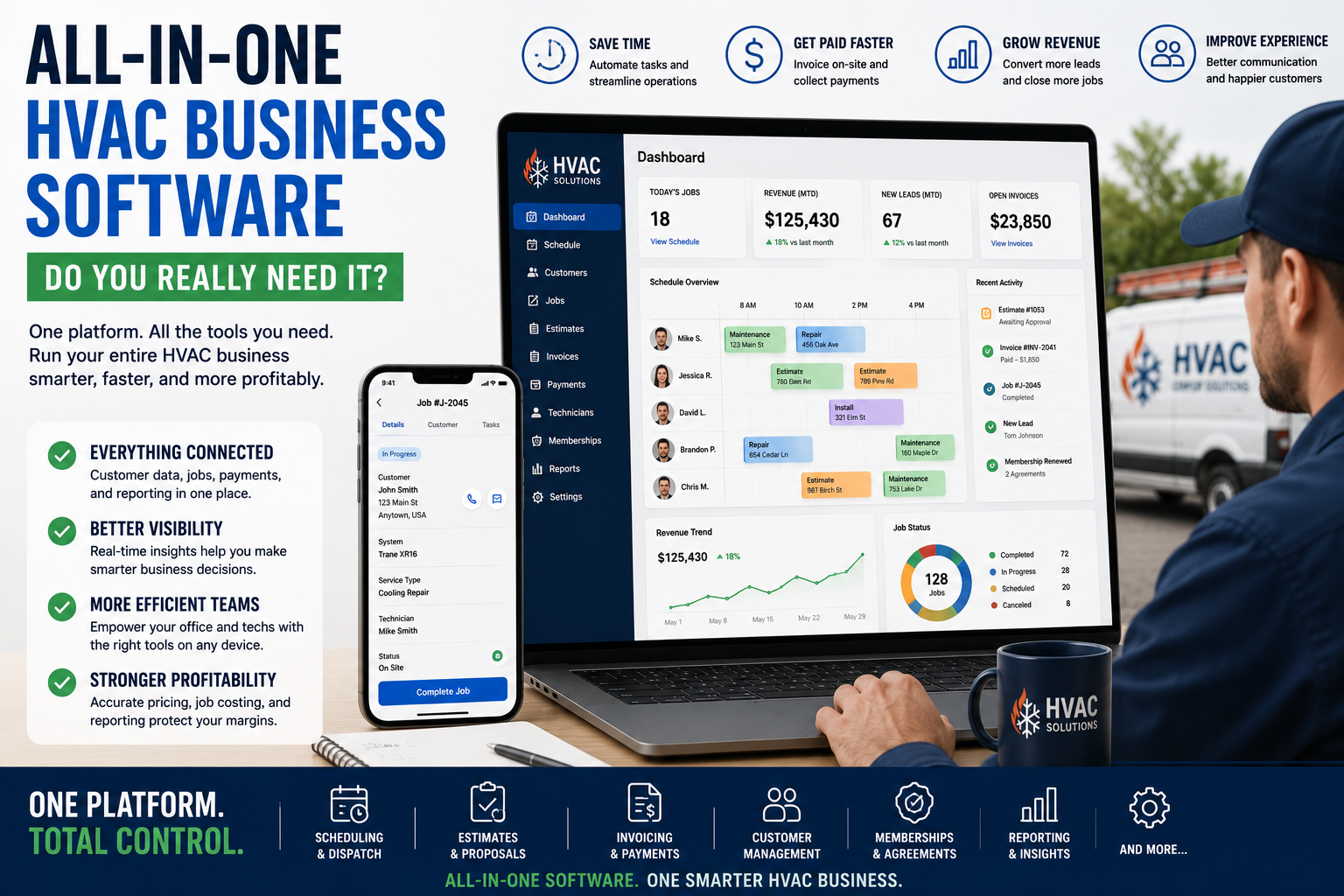
Table of Contents
Introduction
Most HVAC companies do not have a software problem.
They have a disconnected systems problem.
Customer notes are in one app.
Scheduling is in another.
Accounting is somewhere else.
Technicians text the office for job details.
Estimates sit in email.
Marketing reports show leads, but nobody knows which leads turned into profitable jobs.
That is why all-in-one HVAC business software sounds appealing.
One login.
One customer record.
One schedule.
One place for estimates, invoices, payments, memberships, reporting, and follow-up.
That can be a major improvement.
It can also become expensive software with too many features your team never uses.
The question is not:
“Should we use all-in-one software?”
The better question is:
“Would one connected system solve more problems than it creates?”
What Is All-in-One HVAC Business Software?
All-in-one HVAC business software combines several parts of the company into one platform.
Depending on the system, that may include:
- Customer management
- Scheduling
- Dispatch
- Estimates
- Price books
- Invoices
- Payments
- Technician mobile tools
- Service agreements
- Membership tracking
- Customer communication
- Review requests
- Job costing
- Reporting
- Marketing attribution
- Inventory
- Purchasing
- Accounting integrations
Instead of using a separate tool for every task, the company runs more of the business from one core system.
That can make life easier.
But only when the software matches the way the company actually operates.
Why HVAC Companies Consider All-in-One Software
Most owners start looking for a bigger system when the business gets harder to manage.
That usually happens when:
- The owner cannot keep track of every job personally
- Dispatch becomes more complicated
- Technicians need better access to customer history
- Estimates are going cold
- Memberships are slipping
- Invoices are delayed
- Install jobs are hard to track
- Accounting cleanup takes too long
- Reporting does not match what is happening in the field
- Different departments are using different systems
At that point, the business may not need more apps.
It may need fewer.
The right all-in-one system can reduce duplicate work and give everyone a clearer view of the customer, job, invoice, and next step.
For a broader view of where an all-in-one system fits against a multi-tool setup, see best HVAC software stack for small business vs enterprise.
The Main Benefits of All-in-One HVAC Software
One Customer Record
A customer should not have one history in the office, another in the technician’s phone, and another in accounting.
A connected system keeps customer details together:
- Contact information
- Equipment history
- Previous repairs
- Open estimates
- Membership status
- Payment history
- Service notes
- Warranty details
- Communication history
That means the office and field team are working from the same information.
The customer does not have to repeat their story every time they call.
Better Dispatch and Scheduling
Dispatch gets expensive when the office does not have clear information.
The right platform can show:
- Technician availability
- Customer location
- Job history
- Technician skill level
- Service agreement status
- Job type
- Current job status
- Schedule gaps
- Emergency calls
Every unnecessary truck roll costs money.
Every technician sitting in traffic costs money.
All-in-one software can help reduce those problems because dispatch is connected to customer history, job details, and technician activity.
The most important features are not always the ones with the flashiest demo. Review field service management software for HVAC to focus on the tools that improve actual office-to-field handoffs.
Faster Estimates, Invoices, and Payments
A job should not be completed on Monday and invoiced two weeks later.
All-in-one software can connect the estimate, work order, invoice, payment, and follow-up process.
That helps the company:
- Send estimates faster
- Track approvals
- Collect deposits
- Invoice from the field
- Send payment reminders
- Reduce outstanding balances
- Track job status
- Follow up on unsold work
That is not just convenience.
That is cash flow.
Better Membership Management
Maintenance memberships become harder to manage as the customer base grows.
A connected system can help track:
- Active memberships
- Renewal dates
- Included visits
- Recurring appointments
- Agreement value
- Service reminders
- Membership sales
- Customer retention
The value is not only the monthly payment.
The value is keeping the customer connected to your company before another contractor gets the next call.
Better Reporting
A good all-in-one system should help owners see what is actually happening.
That may include:
- Booked calls
- Completed jobs
- Average ticket
- Revenue per technician
- Membership sales
- Replacement opportunities
- Estimate conversion
- Callback rate
- Job costing
- Outstanding invoices
- Revenue by lead source
- Department profitability
A company cannot manage from the bank account alone.
The bank balance tells you how much money is there today.
It does not tell you why.
The Downsides of All-in-One HVAC Software
All-in-one software is not automatically better.
There are real tradeoffs.
It Can Be Expensive
A larger platform usually costs more than a simple scheduling or invoicing tool.
That is not always bad.
If the system helps you reduce missed calls, weak dispatch, callbacks, uncollected invoices, and lost estimates, it may pay for itself.
But it is expensive when the company only uses it as a calendar.
Before committing, ask:
“What problem is this system going to solve that is costing us money right now?”
If you cannot answer that, you may be buying features instead of solving a problem.
It Requires More Setup
All-in-one software is not usually plug-and-play.
You may need to:
- Clean up customer data
- Build price books
- Set up job types
- Define dispatch workflows
- Train office staff
- Train technicians
- Configure memberships
- Connect accounting
- Build reports
- Decide who owns the system
That takes time.
The software can be powerful, but only if the company puts in the work.
Bad processes inside good software are still bad processes.
Treat the rollout as an operational project. The HVAC software implementation guide explains how to prepare workflows, data, configuration, role-based training, testing, and go-live.
It Can Overwhelm Small Teams
A one-truck company does not need the same system as a 25-truck operation.
Small teams usually need:
- Scheduling
- Estimates
- Invoices
- Payments
- Customer history
- Basic follow-up
- A simple technician app
That may be enough.
If the team is small, simplicity matters more than having every possible feature.
A platform with fewer tools that everyone uses is better than a giant system that creates confusion.
For a stage-by-stage look at CRM choices, read best HVAC CRM software compared.
You May Lose Best-in-Class Tools
A specialized tool may do one job better than an all-in-one platform.
For example, one tool may be stronger for accounting.
Another may be stronger for email automation.
Another may be better for detailed commercial estimating.
That does not mean you should avoid all-in-one software.
It means you should be honest about which parts of the business need specialized tools and which parts need a connected core system.
All-in-One Software vs Specialized Tools
| Area | All-in-One Platform | Specialized Tools |
|---|---|---|
| Customer records | One shared customer profile | May require syncing between systems |
| Dispatch | Connected to job history and estimates | May be separate from CRM |
| Accounting | Often integrates with accounting software | Can be stronger with dedicated accounting tools |
| Marketing | Basic follow-up and attribution | More advanced campaigns may need separate tools |
| Reporting | Stronger cross-department visibility | Data can be fragmented |
| Setup | More work upfront | Easier to add one tool at a time |
| Cost | Higher core subscription | Multiple smaller subscriptions |
| Best for | Growing companies that need control | Small teams or companies with specific needs |
The best answer is often not one extreme or the other.
A company may use one core field-service platform, accounting software, and a few carefully selected specialized tools.
That is usually better than trying to force every department into software that does not fit.
For companies deciding whether their needs are limited to CRM or extend into broader enterprise operations, review HVAC CRM vs ERP systems.
When All-in-One Software Makes Sense
All-in-one software usually makes more sense when:
- You have multiple technicians
- You have office staff or dispatchers
- You sell maintenance memberships
- You run service and install work
- You need stronger price-book consistency
- You need better job costing
- You have recurring problems with follow-up
- You want clearer reporting
- You have multiple departments
- You are tired of entering the same information into several systems
The bigger the company gets, the more expensive disconnected tools become.
At some point, one connected operating system can save more time and money than it costs.
When You Should Keep a Simpler Stack
A simpler stack may be the better choice when:
- You have one to three trucks
- You mainly need scheduling, estimates, invoices, and payments
- Your team is not ready for major implementation
- Your processes are still changing often
- You do not have someone who can own the software rollout
- You are not using the tools you already pay for
- Your biggest issue is basic follow-up, not business complexity
Do not buy software because you want to look like a larger company.
Buy it when the current system is holding the company back.
How to Decide Whether You Need It
Ask these questions.
Are We Entering the Same Information More Than Once?
If the office enters customer details into one system, accounting enters them somewhere else, and technicians keep their own notes, you may be ready for a more connected platform.
Are We Losing Money Through Missed Hand-Offs?
Look for:
- Estimates never followed up
- Jobs not invoiced
- Memberships not renewed
- Install details not passed to the crew
- Customers not updated
- Service history unavailable in the field
- Marketing leads not tracked through revenue
Those are signs that systems are disconnected.
A mapped HVAC workflow optimization process can help expose exactly where those handoffs fail before you decide that new software is the answer.
Can We See the Full Customer Journey?
You should be able to follow a customer from:
| Step | Customer Journey Stage |
|---|---|
| 1 | Lead |
| 2 | Booking |
| 3 | Dispatch |
| 4 | Service call |
| 5 | Estimate |
| 6 | Payment |
| 7 | Membership |
| 8 | Future repair or replacement |
If that information lives in different places, the business has blind spots.
Do We Have Someone Who Will Own the System?
An all-in-one platform needs ownership.
Someone should be responsible for:
- Data quality
- Price books
- Technician adoption
- Office workflows
- Reports
- Membership tracking
- Estimate follow-up
- Training
Without ownership, the platform becomes expensive clutter.
Common Mistakes HVAC Companies Make
Buying Enterprise Software Too Early
A small company can get buried under complexity.
The owner spends too much time setting up software instead of answering calls, serving customers, and building the business.
Keeping Disconnected Tools Too Long
A growing company can lose a lot of money by waiting too long to connect dispatch, estimates, invoices, memberships, job costing, and reporting.
Treating Software as the Fix
Software cannot fix:
- Weak pricing
- Poor call handling
- Bad dispatch decisions
- No estimate follow-up
- Poor technician communication
- Weak leadership
- No accountability
Software supports a good operation.
It does not create one.
Ignoring Adoption
The office may love a system.
The technicians may hate it.
If the field team does not update job status, use price books, collect payment, or complete notes, the data becomes incomplete.
Incomplete data creates bad reports.
Bad reports create bad decisions.
FAQ
What is all-in-one HVAC business software?
All-in-one HVAC business software combines customer management, scheduling, dispatch, estimates, invoices, payments, memberships, technician tools, reporting, and follow-up into one platform.
Is all-in-one HVAC software worth it?
It can be worth it for growing companies that are losing money through disconnected systems, poor handoffs, weak dispatch, missed estimates, untracked memberships, or unclear reporting.
It may be too much for a very small company that only needs simple scheduling, invoices, and payments.
Should HVAC companies use one software platform for everything?
Not always.
Many companies work best with one core field-service platform plus accounting software and a few specialized tools where needed.
The goal is not one tool for everything.
The goal is fewer disconnected systems.
What is the biggest benefit of all-in-one HVAC software?
The biggest benefit is having one reliable source of truth for customers, jobs, estimates, invoices, dispatch, payments, memberships, and reporting.
Final Thoughts
All-in-one HVAC business software can make a company easier to run.
It can reduce duplicate work.
It can improve dispatch.
It can speed up estimates, invoices, and payments.
It can give the owner a clearer view of what is happening across the business.
But it is not the right answer for every company.
Small teams usually need simplicity.
Growing companies need stronger systems.
Larger companies need connected operations and accountability.
Choose the stack that solves your biggest bottleneck without creating more complexity than your team can handle.
Continue Reading
- HVAC Software Implementation: From Planning to Go-Live
- Best HVAC Software Stack for Small Business vs Enterprise
- Field Service Management Software for HVAC: What to Look For
- Best HVAC CRM Software Compared
- HVAC CRM vs ERP Systems: What’s the Difference?
- Top HVAC Software Tools Ranked by Real Contractor Needs
- HVAC Workflow Optimization: How to Remove Operational Bottlenecks
- HVAC SOPs Every Company Should Have