
Field Service Management Software for HVAC: What to Look For
Learn which features matter most when choosing field service management software, including scheduling, dispatching, invoicing, mobile apps, and reporting.
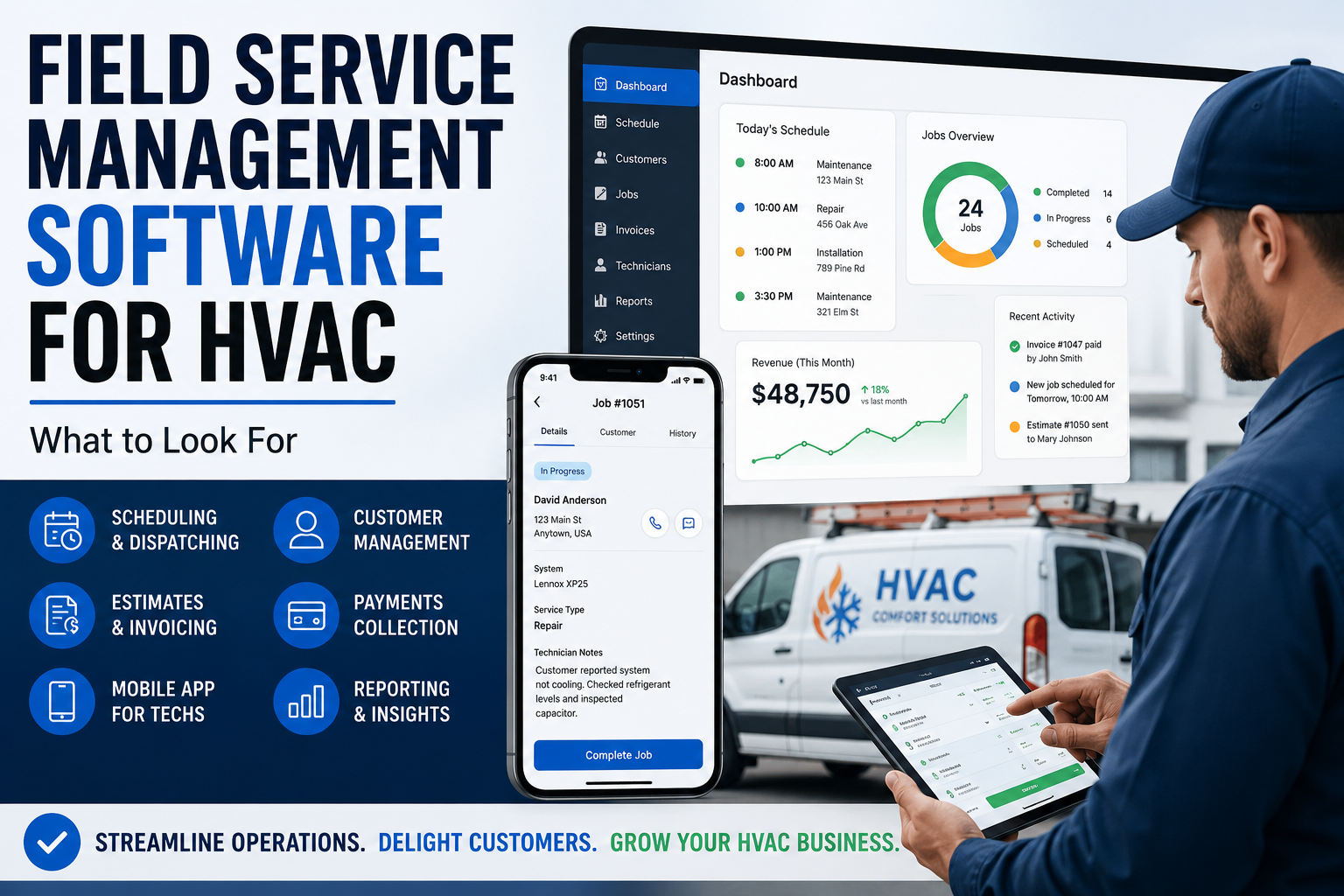
Table of Contents
Introduction
Field service management software is supposed to make an HVAC company easier to run.
It should help the office stay organized.
It should help technicians get the right information in the field.
It should help the owner see whether the business is making money or just staying busy.
But a lot of HVAC companies buy software based on a feature list.
That is usually the wrong way to choose.
The better question is:
“What problems are costing us money right now?”
Maybe calls are being missed.
Maybe dispatch is a mess.
Maybe estimates sit too long without follow-up.
Maybe technicians do not have customer history when they arrive.
Maybe invoices go out late.
Maybe the owner has no idea which trucks are actually productive.
Field service management software should solve those problems.
If it does not, it is just another subscription.
Our software implementation service helps contractors evaluate and implement technology around the workflow the business actually needs.
What Is Field Service Management Software?
Field service management software helps HVAC companies manage the work happening between the office, the technician, and the customer.
For most HVAC companies, that means one system for:
- Customer records
- Scheduling
- Dispatch
- Estimates
- Invoices
- Payments
- Technician mobile tools
- Maintenance memberships
- Customer communication
- Job history
- Reporting
- Follow-up
A CRM is often part of field service management software.
But field service management goes further.
It helps the company manage the actual work getting done in the field.
| Step | Workflow |
|---|---|
| 1 | A customer calls |
| 2 | The office books the job |
| 3 | The dispatcher sends the right technician |
| 4 | The technician sees service history and equipment notes |
| 5 | The estimate gets approved |
| 6 | The invoice gets sent |
| 7 | Payment gets collected |
| 8 | The customer gets a maintenance reminder later |
That whole workflow is field service management.
For a more CRM-focused comparison of the platforms that manage this workflow, see best HVAC CRM software compared.
Why HVAC Companies Need Field Service Software
Once a company has more than one or two trucks, memory stops working.
The owner cannot remember every customer conversation.
The office cannot keep every job detail inside text messages.
The dispatcher cannot guess which technician is the right fit for every call.
The technician cannot keep calling the office for customer history, pricing, or job notes.
Without a system, the company starts losing money in small ways:
- Missed appointments
- Bad technician assignments
- Lost estimates
- Late invoices
- Uncollected payments
- Expired memberships
- Repeat trips
- Poor communication
- Customer history scattered across different tools
Every unnecessary truck roll costs money.
Every missed estimate costs money.
Every callback costs money.
A good field service platform helps prevent those problems before they become normal.
The Features That Matter Most
Not every HVAC company needs every feature.
But there are a few categories that matter almost everywhere.
Scheduling and Dispatch
Scheduling is not just putting jobs on a calendar.
Dispatch is about getting the right technician to the right job at the right time.
A good dispatch system should help you see:
- Technician availability
- Job location
- Technician skill level
- Customer history
- Service agreement status
- Job notes
- Emergency calls
- Schedule gaps
- Recurring maintenance work
For a small company, a simple drag-and-drop calendar may be enough.
For a growing company, dispatch needs more control.
You may need to know who can handle a heat pump issue, who is closest to a customer, or who has the right experience for a complex repair.
The wrong technician on the wrong call creates wasted time, unhappy customers, and unnecessary return trips.
For platform-specific dispatch features and buying criteria, see best HVAC dispatch software compared.
Customer History and Equipment Details
A technician should not arrive at a house without knowing what happened last time.
Your software should give the field team access to:
- Previous job notes
- Equipment details
- Installed system history
- Maintenance records
- Warranty information
- Open estimates
- Membership status
- Payment history
- Customer communication
That helps technicians show up prepared.
It also helps customers feel like they are dealing with a professional company instead of explaining the same problem every visit.
The customer should not have to repeat their story because the company cannot find its own notes.
Estimates and Price Books
Technicians should not be making up prices in the driveway.
A field service platform should make it easier to create estimates, use price books, present options, and get customer approval.
That matters because pricing inconsistency destroys margin.
One technician charges $450.
Another charges $650.
A third gives a discount because they are uncomfortable explaining the price.
That is not a pricing strategy.
That is a profit leak.
Look for software that supports:
- Digital estimates
- Flat-rate pricing
- Good-better-best options
- Price-book access in the field
- Customer approvals
- Financing options
- Estimate follow-up
- Proposal tracking
The goal is not high-pressure selling.
The goal is consistent pricing and clear customer choices.
Invoicing and Payment Collection
A completed job should not sit for two weeks before an invoice goes out.
Field service software should make it easy to:
- Create invoices in the field
- Send invoices immediately
- Collect card payments
- Save payment methods
- Send payment reminders
- Track outstanding balances
- Connect payments to the right job
Late invoices create cash-flow problems.
Uncollected invoices create even bigger ones.
The faster the company can complete the job, invoice the customer, and collect payment, the healthier the business becomes.
Technician Mobile Apps
Your technicians are the people using the software most often.
If the mobile app is frustrating, adoption will suffer.
A good technician app should give the field team access to:
- Today’s schedule
- Customer information
- Job notes
- Equipment history
- Estimates
- Price books
- Invoices
- Payment collection
- Photos
- Checklists
- Customer signatures
- Communication with the office
The goal is to reduce calls back to the office.
A technician should not need to ask:
- What did we do last time?
- Is this customer under a maintenance agreement?
- Did they approve the quote?
- What should I charge for this repair?
- Can I take payment here?
The more information the technician has, the smoother the call becomes.
Maintenance Memberships and Recurring Work
Maintenance memberships make HVAC companies more stable.
They create planned work.
They create repeat customers.
They create future repair and replacement opportunities.
But memberships become hard to manage once the company has volume.
The software should help track:
- Membership status
- Renewal dates
- Included visits
- Recurring appointments
- Agreement value
- Customer benefits
- Service reminders
- Renewal follow-up
The value is not just the membership payment.
The value is owning the customer relationship before another HVAC company gets the call.
Reporting and Visibility
The owner should not have to wait until the end of the month to find out whether the business had a bad week.
Field service software should give you visibility into the numbers that matter.
At a minimum, look for reporting around:
- Booked calls
- Completed jobs
- Average ticket
- Revenue per technician
- Revenue per truck
- Membership sales
- Replacement leads
- Callback rate
- Outstanding invoices
- Estimate conversion
- Job profitability
You do not need to stare at dashboards all day.
You need a weekly scoreboard that tells you where the business is improving and where it is leaking money.
Customer Communication
A customer should not have to wonder whether the company received their request.
They should not have to call three times to find out when the technician is coming.
Good communication builds trust.
Look for tools that support:
- Appointment confirmations
- On-the-way notifications
- Text messaging
- Email updates
- Estimate reminders
- Payment reminders
- Maintenance reminders
- Review requests
- Post-install follow-up
The easiest customer to sell to is the one who already trusts you.
Communication helps protect that trust.
What Small HVAC Companies Need
A one- to five-truck HVAC company usually does not need an enterprise platform.
It needs a reliable system that keeps the basics from falling apart.
For a smaller company, the most important features are usually:
- Scheduling
- Dispatch
- Customer history
- Estimates
- Invoices
- Payments
- Technician mobile access
- Basic reporting
- Maintenance reminders
- Review requests
At this stage, simplicity matters.
The team needs to actually use the software.
A platform with fewer features that everyone uses is better than a large system nobody understands.
For a wider review of what different company sizes need from software, see top HVAC software tools ranked by real contractor needs.
What Growing HVAC Companies Need
Once the company reaches five to 20 trucks, the business starts needing more control.
The owner cannot track everything personally anymore.
Dispatch becomes harder.
Price consistency matters more.
Membership volume grows.
Install work becomes more complicated.
At this stage, look for stronger tools around:
- Price books
- Technician performance
- Dispatch rules
- Membership tracking
- Job costing
- Estimate follow-up
- Call booking
- Marketing attribution
- Department reporting
- Install workflows
Growing companies need more than organization.
They need repeatable systems.
A connected all-in-one HVAC business software platform can make sense once duplicate work, scattered data, and missed handoffs become regular problems.
What Larger HVAC Companies Need
Larger HVAC companies need visibility and accountability across departments.
That may include:
- Multiple dispatchers
- Service managers
- Install managers
- Comfort advisors
- Call-center staff
- Multiple locations
- Commercial accounts
- Larger membership programs
- Inventory and purchasing
- Project management
- Department-level reporting
At this stage, the company needs software that connects the work happening in the office, field, install department, accounting team, and leadership meetings.
The bigger the company gets, the more expensive disconnected systems become.
Common Mistakes When Choosing Field Service Software
Buying Based on Features Alone
The software with the most features is not always the best fit.
A company may pay for tools it never uses while still missing calls and losing estimates.
Start with the operational problem you need to solve.
Ignoring Technician Adoption
The office may love a new system.
But if technicians refuse to use the app, the data becomes incomplete.
Incomplete data creates bad reports.
Bad reports create bad decisions.
Include technicians, dispatchers, and office staff in the demo process.
Choosing Software Before Fixing the Workflow
Software cannot fix:
- Poor call handling
- Weak dispatch
- Bad pricing
- No estimate follow-up
- Poor customer communication
- No accountability
- Weak leadership
Software supports a good process.
It does not create one.
Before rolling out a new platform, map the full HVAC workflow optimization process from the incoming call through payment, follow-up, and repeat service.
Once a platform is selected, use the HVAC software implementation guide to plan data, configuration, role-based training, end-to-end testing, and go-live.
Overbuying Too Early
A one-truck company does not need enterprise-level reporting and project management.
Start with the tools that protect revenue.
Add complexity when the business actually needs it.
Staying Too Simple for Too Long
The opposite problem is also expensive.
A company grows to 10 or 15 trucks but still manages the business through spreadsheets, text messages, and memory.
At that point, the company is not saving money by avoiding software.
It is losing money through chaos.
How to Choose the Right Platform
Before booking a demo, answer these questions:
- Are calls being missed?
- Is dispatch creating wasted drive time?
- Are estimates going cold?
- Are invoices delayed?
- Are memberships slipping?
- Are technicians pricing from memory?
- Are callbacks too high?
- Is customer history scattered?
- Can the owner see technician performance?
- Are install jobs losing margin?
Then choose the platform that solves the most expensive problem first.
A small company may need Jobber or Housecall Pro.
A growing HVAC company may need FieldEdge.
A larger multi-department company may need ServiceTitan.
A commercial contractor may need a platform built around projects, contracts, and work orders.
The right answer depends on the business you are running now.
For help deciding whether one integrated system or a more specialized tool mix is the better fit, review best HVAC software stack for small business vs enterprise.
FAQ
What is field service management software for HVAC?
Field service management software helps HVAC companies manage customers, scheduling, dispatch, estimates, invoices, payments, technician mobile tools, service agreements, follow-up, and reporting.
What is the most important feature in HVAC field service software?
For most HVAC companies, scheduling and dispatch are the most important starting point.
But once the business grows, customer history, price books, estimates, payment collection, memberships, job costing, and reporting become just as important.
Is field service management software worth it for a small HVAC company?
Usually, yes.
Even a small company can save time and reduce missed revenue by keeping customer history, jobs, estimates, invoices, payments, and follow-up in one place.
The key is choosing a simple system the team will actually use.
What is the difference between field service software and HVAC CRM software?
A CRM focuses on customer information, communication, and follow-up.
Field service management software usually includes CRM features plus scheduling, dispatch, technician mobile tools, estimates, invoices, payments, job management, and reporting.
Final Thoughts
The best field service management software does not just help an HVAC company schedule jobs.
It helps the company run better.
It protects customer history.
It improves dispatch.
It speeds up estimates and invoices.
It helps technicians arrive prepared.
It makes payment collection easier.
It gives the owner better visibility into what is working and what is leaking money.
Choose software based on your biggest operational bottleneck.
Not based on who has the flashiest demo.
Continue Reading
- Best HVAC CRM Software Compared
- Best HVAC Dispatch Software Compared
- All-in-One HVAC Business Software
- HVAC CRM vs. ERP Systems: What’s the Difference?
- Best HVAC Software Stack for Small Business vs Enterprise
- Top HVAC Software Tools Ranked by Real Contractor Needs
- HVAC Workflow Optimization: How to Remove Operational Bottlenecks
- HVAC Software Implementation: From Planning to Go-Live