
Jobber vs FieldEdge: Best HVAC CRM for Small Teams
Compare Jobber and FieldEdge for small HVAC companies, including ease of use, pricing approach, dispatching, customer management, and room to grow.
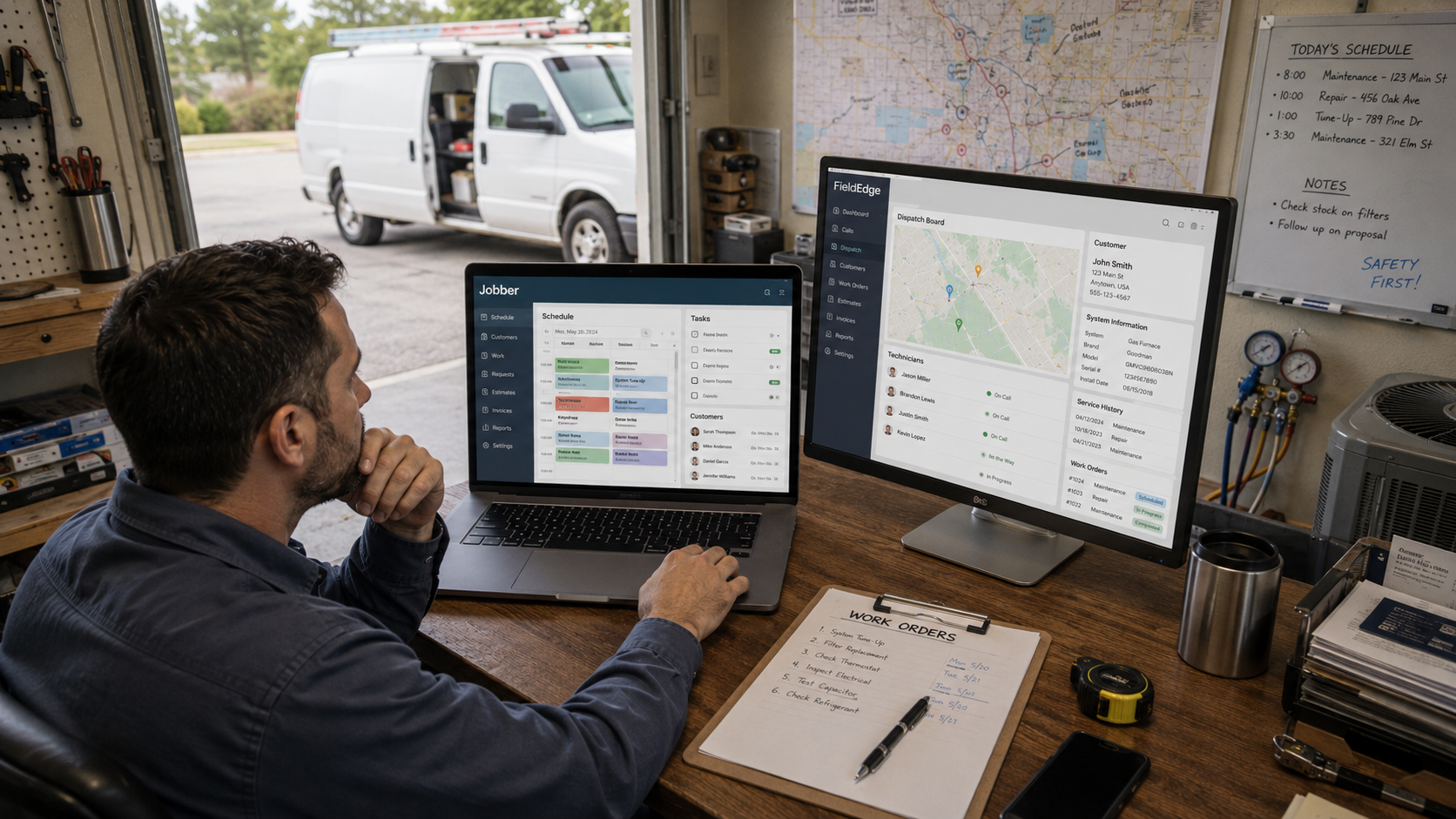
Table of Contents
Introduction
Jobber and FieldEdge can both help a small HVAC company get out of spreadsheet chaos.
Both can manage customers, scheduling, dispatch, estimates, invoices, and payments.
But they are built for different types of small teams.
Jobber is usually the better fit when your company needs a simple system that technicians and office staff can start using quickly.
FieldEdge is usually the better fit when you already have a more established HVAC operation and need stronger service-agreement, dispatch, price-book, and performance workflows.
The wrong choice is not always picking bad software.
Sometimes it is buying more system than your company can use.
Other times, it is staying with a simple system after the business has outgrown it.
Quick Answer
| Your Situation | Better Fit |
|---|---|
| One to five trucks | Jobber |
| You are replacing paper, text messages, and spreadsheets | Jobber |
| Your team needs simple scheduling, estimates, invoices, and payments | Jobber |
| You sell maintenance agreements at scale | FieldEdge |
| Dispatch and price-book consistency are becoming a problem | FieldEdge |
| You need stronger HVAC-specific workflows | FieldEdge |
| You want the fastest path to adoption | Jobber |
| You have an established office and service team | FieldEdge |
The simple version:
Jobber helps small HVAC companies get organized.
FieldEdge helps growing HVAC companies get more control.
Jobber Overview
Jobber is built for smaller field-service businesses that need a cleaner way to manage daily work.
For an HVAC company, that usually means:
- Customer records
- Scheduling
- Dispatch
- Quotes
- Invoices
- Payments
- Job notes
- Follow-up
- Online booking
- Review requests
Jobber is a strong option when the owner is still wearing too many hats.
Maybe you are answering calls, dispatching technicians, sending estimates, checking invoices, and trying to remember which customer needs follow-up.
At that stage, you do not need more complexity.
You need fewer things getting missed.
Where Jobber Is Strong
Jobber is usually easier for a small team to learn.
That matters.
A CRM is useless if the office avoids it and technicians refuse to use the mobile app.
The biggest win for a small HVAC company is getting the entire service cycle into one place:
- Customer calls.
- Job gets booked.
- Technician gets dispatched.
- Estimate gets sent.
- Work gets approved.
- Payment gets collected.
- Follow-up gets handled.
That alone can stop a lot of revenue leaks.
Missed estimates cost money.
Late invoices cost money.
Customer notes living in text messages cost money.
Jobber gives a small team a cleaner daily workflow without making the business feel like it needs an IT department. Companies moving away from manual tracking may also benefit from understanding the difference between a CRM and spreadsheet workflow.
Where Jobber Can Fall Short
Jobber may start to feel limited when the company needs more detailed operational control.
That can happen when you have:
- Multiple dispatchers
- A larger service department
- More complex install workflows
- Heavy service-agreement volume
- Advanced price-book needs
- Stronger job-costing requirements
- More detailed technician reporting
- Multiple locations
Jobber can still work for a growing company.
But eventually, the owner may need more visibility than basic scheduling and invoicing can provide.
At that point, comparing HVAC CRM systems for small to large contractors can help clarify whether you need deeper dispatch, reporting, memberships, or technician-management features.
FieldEdge Overview
FieldEdge is built more specifically around HVAC, plumbing, and electrical service operations.
That makes it attractive for companies that are past the early “just get organized” stage.
It is usually a better fit when your company needs stronger control over:
- Dispatch
- Service agreements
- Price books
- Customer and equipment history
- Technician workflows
- Invoicing
- Performance reporting
- Recurring service
FieldEdge is not necessarily the best first platform for a one-truck startup.
But it can make sense when your company has enough service volume that inconsistency is starting to cost money.
Where FieldEdge Is Strong
Growing HVAC companies need more than a calendar.
They need the office, dispatcher, technician, and owner working from the same information.
For example:
- The office needs service history before booking the call.
- The dispatcher needs to know who is available and qualified.
- The technician needs equipment details and pricing tools.
- The owner needs to see memberships, callbacks, average ticket, and production.
That is where FieldEdge starts to make more sense.
It is built for companies that want a more HVAC-specific operating system instead of a general field-service tool. It can be especially useful for businesses that are beginning to compare broader field service management software for HVAC.
Where FieldEdge Can Be a Bad Fit
FieldEdge may be too much system if your company is still very small and has not built consistent basic processes.
If you do not have clear rules for dispatch, pricing, membership renewals, callbacks, or estimate follow-up, software will not fix that.
Bad processes inside more advanced software are still bad processes.
For a small company, the best CRM is usually the one the team will actually use every day.
Ease of Use
For most small HVAC teams, Jobber is usually easier to adopt.
Its appeal is simplicity.
The office can book work, technicians can see job details, estimates can be sent, invoices can go out, and customers can pay without a long implementation process.
That is valuable when the owner does not have time to spend months setting up software.
FieldEdge may require more thought because it is often being used to create stronger process control.
That is not a bad thing.
It just means the company should be ready to decide how it wants to operate before it starts configuring the system.
Choose Jobber for Ease of Use If:
- Your team is not very technical
- You need to get up and running quickly
- You are moving off paper or spreadsheets
- Your biggest problem is disorganization
- You want simple mobile access for technicians
Choose FieldEdge for Structure If:
- You have an established office and service team
- You need stronger price-book use
- Memberships are a major part of your business
- Dispatch is becoming more complicated
- You want more HVAC-specific workflows
Scheduling and Dispatch
Both platforms can schedule and dispatch work.
The difference is the level of complexity your company needs to manage.
Jobber is usually enough for a small team that needs a clear calendar, technician assignments, job notes, and customer communication.
FieldEdge becomes more useful when dispatch is becoming a real profit issue.
That is when you need to think about technician skill level, service agreements, recurring maintenance, equipment history, pricing, and return-trip prevention.
Every unnecessary truck roll costs money.
If you have two trucks, a simple calendar may be enough.
If you have eight trucks, multiple maintenance calls, emergency calls, and different technician strengths, dispatch needs more structure. Businesses at that point should compare tools using the criteria in best HVAC dispatch software.
Customer Management and Follow-Up
Both platforms can help keep customer details in one place.
That includes job history, estimates, invoices, payments, and service notes.
For a small company, that is a major improvement over memory.
Jobber is usually a good fit when you need to stop losing track of customer communication.
FieldEdge can be more useful when customer history, equipment information, maintenance agreements, and recurring service workflows are becoming central to the business.
The easiest customer to sell to is the one who already trusts you.
A CRM should help you keep that relationship active instead of making the customer start over with a competitor next season.
Pricing: What Small Teams Should Watch
Do not compare software only by the monthly subscription price.
Compare the total cost of running it.
That includes:
- Monthly plan cost
- Additional users
- Payment processing fees
- Add-ons
- Onboarding
- Training time
- Data cleanup
- Lost productivity during rollout
Jobber publishes tiered pricing, while FieldEdge typically uses a quote-based approach tied to the company’s needs and implementation. Jobber’s public plans make it easier for smaller owners to estimate a starting cost, but the cost can increase as a company adds users and higher-level features.
The cheapest software is not always the best value.
A low-cost system that lets estimates disappear or invoices go unpaid is expensive.
A larger platform nobody uses is expensive too.
Which One Has More Room to Grow?
Jobber has enough room for many small HVAC companies.
You do not need to leave it just because you hired your second technician.
But FieldEdge may become a stronger fit once service agreements, price books, dispatch, reporting, and technician accountability need more attention.
A useful way to think about it:
- Jobber: “We need to get organized.”
- FieldEdge: “We need to run the business more consistently.”
That is the real difference.
For a wider look at which tools tend to fit each company stage, see the best HVAC software stack for small business vs enterprise.
FAQ
Is Jobber good for HVAC companies?
Yes. Jobber can be a strong fit for small residential HVAC companies that need scheduling, estimates, invoicing, payments, customer history, and technician job details in one place.
Is FieldEdge better than Jobber for HVAC?
Not automatically.
FieldEdge may be better for an established HVAC company that needs stronger service-agreement workflows, dispatch structure, price-book control, and technician accountability.
Jobber may be better for a smaller team that values simplicity and fast adoption.
Which is cheaper: Jobber or FieldEdge?
Jobber publishes tiered pricing, while FieldEdge generally uses custom pricing based on business needs. The lower starting cost does not always mean lower total cost once users, features, training, and payment processing are included.
When should a small HVAC company switch to FieldEdge?
Consider it when your current system is creating a real bottleneck.
That may be poor dispatch, weak membership tracking, inconsistent price-book use, limited reporting, or too little visibility into technician performance.
Final Thoughts
Jobber and FieldEdge are both useful options for HVAC companies.
They are just built for different stages of growth.
Jobber is usually the better option when your small team needs an easy way to manage customers, jobs, estimates, invoices, payments, and follow-up.
FieldEdge is usually the better option when the company is growing and needs stronger HVAC-specific structure around dispatch, price books, service agreements, and performance.
Do not buy software because it has more features.
Buy it because it solves the problem that is costing your company the most money right now.