
FieldEdge Review: Features, Pricing, and Best Use Cases
Review FieldEdge's core features, pricing structure, integrations, and ideal use cases to see if it's the right platform for your HVAC operation.
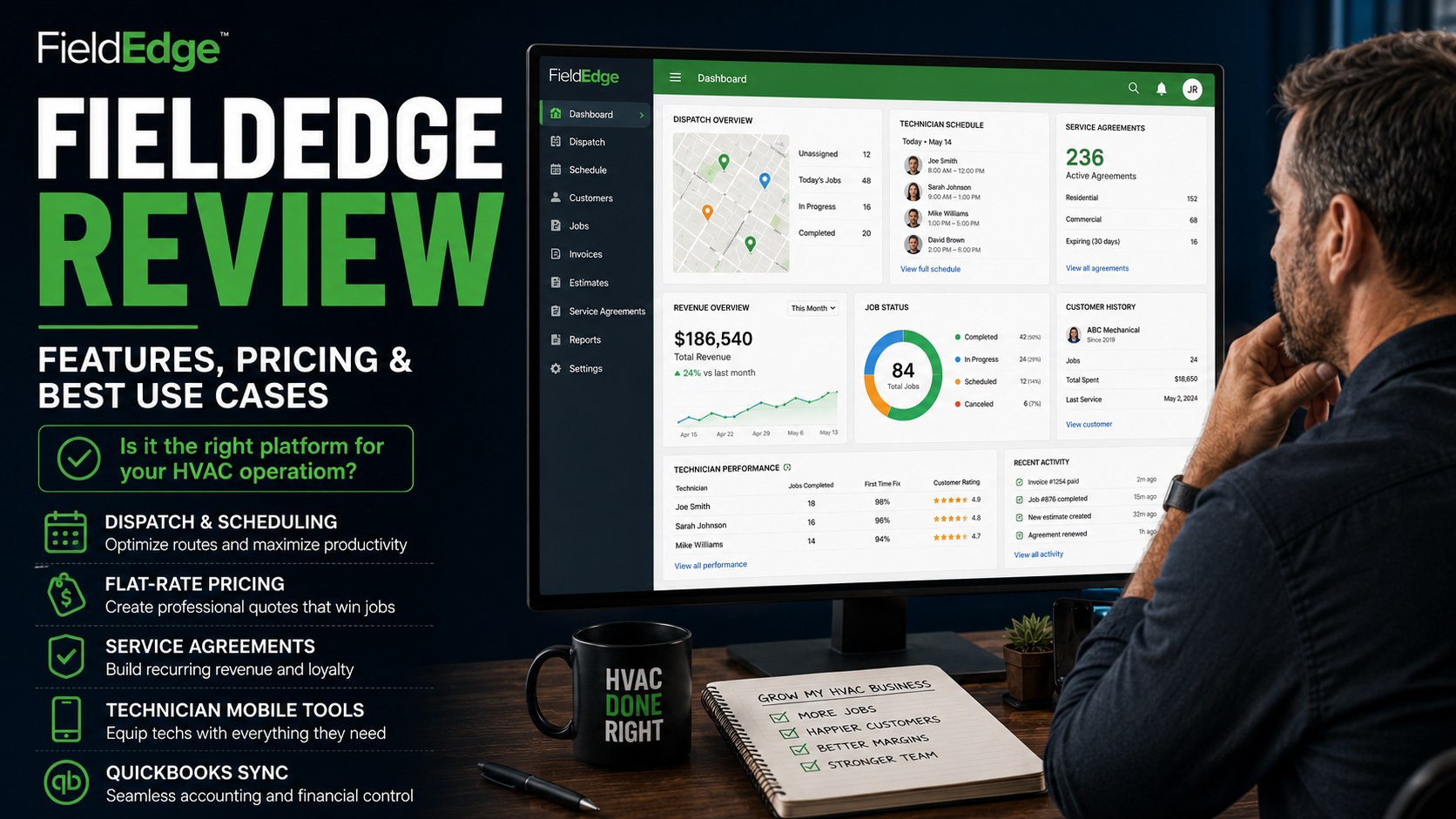
Table of Contents
Introduction
FieldEdge is built for HVAC companies that are past the “just keep the schedule straight” stage.
It is not only a calendar, invoice, and payment tool.
It is designed for multi-truck service companies that need better control over dispatch, price books, service agreements, customer history, technician workflows, and reporting.
That makes it a strong option for established HVAC companies.
It can also be too much system for a small owner-operator who mainly needs to send estimates, collect payment, and stop losing job notes in text messages.
The right question is not:
“Does FieldEdge have enough features?”
The better question is:
“Is my HVAC company complex enough to use those features well?”
For the right company, FieldEdge can help turn a busy service operation into a more controlled one.
For the wrong company, it can become another system with too much setup and not enough adoption.
Quick Verdict
FieldEdge is usually a strong fit for HVAC companies that have multiple technicians, a real office team, recurring maintenance agreements, and growing dispatch complexity.
It is especially useful when your company needs better control over:
- Scheduling and dispatch
- Customer and equipment history
- Flat-rate pricing
- Technician sales workflows
- Service agreements
- Payments and invoicing
- Reporting
- QuickBooks synchronization
- Team accountability
It is probably not the best first platform for a one-truck company that only needs a simple way to schedule jobs and send invoices.
The simple version:
Jobber helps small teams get organized.
FieldEdge helps established HVAC companies run more consistently.
For a closer look at the simpler option, read the Jobber review for HVAC businesses.
What FieldEdge Does
FieldEdge is field-service management software built for HVAC, plumbing, electrical, and other service contractors.
For HVAC companies, it brings the office and field team into one system.
That includes:
- Customer records and equipment history
- Scheduling and dispatch
- Mobile technician tools
- Price books and flat-rate pricing
- Estimates and proposals
- Invoices and payment processing
- Service agreements
- Marketing and customer follow-up
- Reporting and business visibility
- QuickBooks synchronization
- GPS-based technician and task management
FieldEdge positions its platform around multi-truck service operations, with connected tools for dispatch, mobile field work, payments, flat-rate pricing, proposals, service agreements, reporting, and accounting workflows.
The main value is not one feature.
It is giving the office, dispatcher, technician, and owner access to the same information.
Where FieldEdge Is Strong
1. Dispatch and Multi-Truck Operations
FieldEdge makes the most sense when dispatch is becoming a real operational issue.
A one-truck company can often run from a simple calendar.
A larger service company has more moving parts:
- Multiple technicians
- Different skill levels
- Emergency calls
- Maintenance visits
- Replacement leads
- Recurring service agreements
- Larger service areas
- Office staff coordinating the board
At that point, dispatch is not just about filling open time slots.
It is about protecting technician productivity.
Every unnecessary truck roll costs money.
Every technician sent without the right customer history costs time.
Every missed dispatch detail can create a callback or second trip.
FieldEdge gives office teams a centralized dashboard for scheduling, dispatching, and monitoring technicians.
For companies comparing dispatch tools specifically, see best HVAC dispatch software compared.
2. HVAC-Focused Price Books and Flat-Rate Pricing
Technicians should not be making up prices in the customer’s driveway.
FieldEdge’s flat-rate and price-book tools are one of its strongest HVAC-specific features.
The platform is built to help companies create more consistent repair pricing, offer good-better-best options, and give technicians clearer sales tools in the field.
That matters because weak pricing creates fake growth.
The trucks stay busy.
Payroll gets paid.
But the company is not leaving enough money behind.
A clear price book helps protect margin and makes the customer conversation easier.
The technician is not guessing.
The customer is not getting a different price depending on who showed up.
3. Service Agreements and Maintenance Revenue
Maintenance agreements are one of the best ways to create a more stable HVAC company.
They create planned work.
They keep customers connected to your business.
They create future repair and replacement opportunities.
FieldEdge includes service-agreement tools designed to help companies manage recurring work, renewals, and the handoff between the field and sales team.
That is useful when membership volume starts becoming hard to manage manually.
A maintenance customer should not disappear because nobody remembered to schedule their tune-up or renewal.
4. Technician Mobile Tools
FieldEdge gives technicians access to customer history, work orders, service records, invoicing, payments, and dispatch tools from the field.
That can reduce the constant back-and-forth between the office and the truck.
A technician should not need to call the office just to ask:
- What did we do last time?
- Is this customer on a maintenance plan?
- What equipment do they have?
- Did they approve the estimate?
- Can I collect payment from here?
The more information the field team has, the less time gets wasted.
5. QuickBooks Sync and Financial Workflow
FieldEdge highlights automated QuickBooks syncing to reduce double entry between the field and office.
That is not exciting.
But it matters.
Administrative bottlenecks create late invoices, inaccurate records, and too much office cleanup.
If the field team can create invoices, collect payment, and push cleaner information back to the office, the business can move faster.
FieldEdge Pricing: What to Expect
FieldEdge does not use the simple public pricing structure you see with some smaller field-service platforms.
Pricing is generally quote-based.
That means the cost can depend on:
- Number of technicians
- Number of office users
- Modules included
- Payment tools
- Flat-rate pricing tools
- Proposal tools
- Marketing features
- Training and onboarding needs
- Integrations
- Overall operational complexity
That can be frustrating for owners who want a quick number.
But it also reflects the type of company FieldEdge is built for.
This is not usually a basic one-user scheduling app.
It is software for a multi-truck operation that needs stronger process control.
The important question is not:
“What is the monthly subscription?”
Ask:
“What are missed calls, weak dispatch, inconsistent pricing, untracked service agreements, and poor follow-up costing us right now?”
If those leaks are large enough, the software can be easier to justify.
If they are not, a simpler platform may be the better move.
FieldEdge Pros and Cons
| Pros | Cons |
|---|---|
| Built around HVAC and multi-truck service workflows | Pricing is quote-based rather than simple public tiers |
| Strong dispatch, price-book, and service-agreement tools | Can be more system than a very small team needs |
| Good mobile access for technicians | Requires implementation and clear processes |
| Helps centralize customer history and field operations | Not the best fit for highly complex commercial project work |
| Includes payment, invoicing, and QuickBooks workflow support | Team adoption matters or the value drops quickly |
| Better fit for established service companies than generic software | Owners may still need deeper enterprise reporting at larger scale |
Where FieldEdge Can Fall Short
1. It Still Requires Process Discipline
FieldEdge can help standardize a business.
It cannot decide how your business should run.
Before implementation, you should know:
- How calls are booked
- How dispatch decisions are made
- How technicians use the price book
- How memberships are sold and renewed
- How estimates are followed up
- How callbacks are handled
- Which reports management reviews each week
Bad processes inside good software are still bad processes.
If the office does not use the system consistently, technicians avoid the mobile tools, and nobody looks at reports, the company will not get the return.
2. It Can Be Too Heavy for Small Teams
A one- or two-truck HVAC company may not need this much structure yet.
Smaller companies often get more value from a simpler tool and better habits:
- Answer every call
- Track every estimate
- Send invoices quickly
- Collect payment
- Build maintenance memberships
- Follow up consistently
- Review numbers weekly
You do not need a bigger software platform just because you want to become a bigger company.
You need it when the current system is actually holding the business back.
A direct Jobber vs. FieldEdge comparison can help smaller teams decide whether they need more structure or simply better use of a simpler platform.
3. Commercial and Project-Based HVAC Can Need More
FieldEdge is built around service operations.
That makes it useful for many HVAC companies.
But contractors with larger commercial projects, complex contracts, progress billing, multiple sites, project managers, and heavy construction work may need a platform built more directly around commercial project control.
For those companies, BuildOps or another commercial-focused platform may fit better.
Who FieldEdge Is Best For
FieldEdge is usually a good fit for:
- Five- to 20-truck HVAC companies
- Established residential service businesses
- HVAC companies with office staff and dispatchers
- Companies selling maintenance agreements
- Teams that need stronger price-book consistency
- Owners who want more visibility into technician performance
- Businesses that have outgrown spreadsheets or simpler scheduling tools
- Companies that need better coordination between office and field teams
It is especially useful when the company is saying:
“We are busy, but we are not running consistently.”
For a broader stage-by-stage view, see best HVAC CRM systems for small to large contractors.
Who Should Consider Other Options
You may want to consider another platform if:
- You are a one-truck owner-operator who mainly needs basic scheduling and invoices
- Your team is not ready to adopt a more structured system
- You run large commercial projects
- You need deep enterprise reporting across multiple departments
- You have multiple branches and complex install operations
- You want the broadest possible operations platform
In those cases:
- Jobber may be better for simplicity
- Housecall Pro may be better for smaller residential teams
- ServiceTitan may fit larger, more complex operations
- BuildOps may fit commercial HVAC contractors
A broader comparison of available platforms is available in best HVAC CRM software compared.
How to Know Whether FieldEdge Will Pay for Itself
1. Are You Losing Money Through Inconsistency?
Look for:
- Different prices from different technicians
- Missed membership renewals
- Weak dispatch
- Customer history scattered across systems
- Invoices going out late
- Unfollowed estimates
- Too many callbacks
- No clear reporting on technician performance
If those problems are normal in your company, FieldEdge may help bring the operation under control.
2. Are You Ready to Use the Data?
FieldEdge can give owners better visibility.
But reports only matter when someone uses them.
Decide who will own:
- Dispatch performance
- Membership renewals
- Technician training
- Price-book accuracy
- Estimate follow-up
- Callback reduction
- Weekly reporting
A dashboard does not create accountability.
Management does.
3. Is Your Team Ready for Standardization?
The best FieldEdge users usually want the business to operate more consistently.
That means:
- CSRs follow the same booking process
- Dispatchers follow the same rules
- Technicians use the same price book
- Managers review the same numbers
- Customers get a more predictable experience
That is where the return comes from.
FAQ
Is FieldEdge good for HVAC companies?
Yes. FieldEdge is built for HVAC, plumbing, electrical, and similar service businesses. It is especially useful for established HVAC companies that need stronger dispatch, service agreements, flat-rate pricing, technician workflows, and reporting.
How much does FieldEdge cost?
FieldEdge generally uses quote-based pricing, so the cost depends on the size of your team, features, onboarding needs, and modules you choose.
Always request a current quote and ask what is included before comparing it with other platforms.
Is FieldEdge better than Jobber?
Not automatically.
Jobber is often easier for very small teams that need simple scheduling, estimates, invoices, and payments.
FieldEdge is usually a better fit once an HVAC company needs stronger dispatch, price-book structure, service agreements, and technician accountability.
Is FieldEdge good for maintenance memberships?
Yes. FieldEdge includes service-agreement and recurring-service workflows that can help HVAC companies manage maintenance plans, renewals, and repeat customer work.
Final Thoughts
FieldEdge is not the simplest HVAC software option.
That is also why it can be valuable.
It is built for companies that need more than a calendar and invoice tool.
If your business has multiple trucks, a real office team, recurring service agreements, pricing inconsistency, and growing dispatch complexity, FieldEdge can help create more control.
If your company is still very small, a simpler platform may be a better fit.
The goal is not to buy more software.
The goal is to stop the operational problems that are quietly costing you money.