
ServiceM8 Review for HVAC Contractors: Fit, Limits, and Implementation
Evaluate ServiceM8 for your HVAC operation by workflow fit, team adoption, implementation needs, pricing model, limitations, and readiness to change systems.
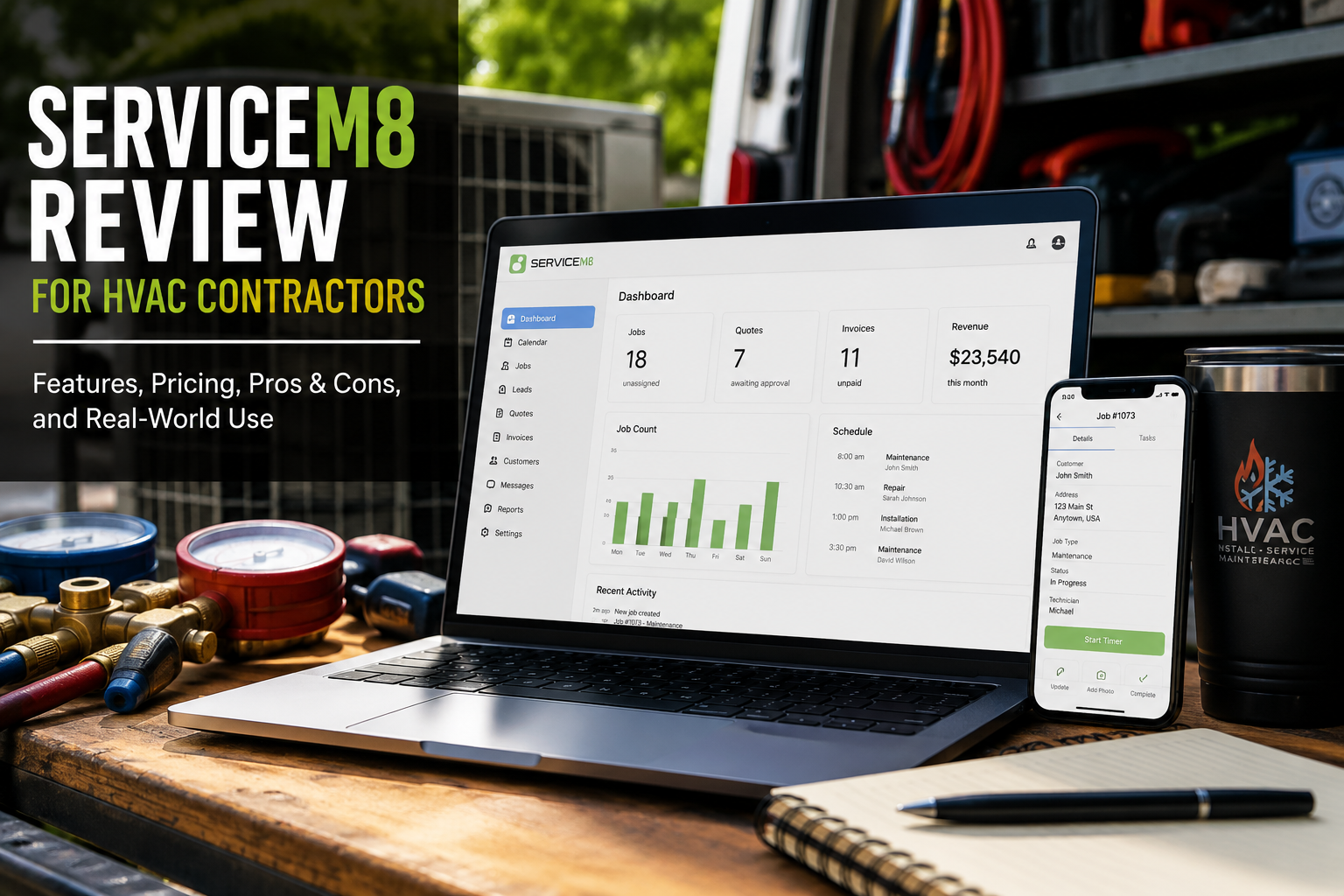
Table of Contents
Introduction
ServiceM8 is field service management software built for small trade and service businesses.
For HVAC contractors, that means it can help manage the daily work that usually gets messy as the company grows:
- Scheduling
- Job management
- Quotes
- Invoices
- Payments
- Customer history
- Technician mobile access
- Communication
- Recurring jobs
- Reporting
The main question is not whether ServiceM8 has useful features.
It does.
The better question is:
Is ServiceM8 the right operating system for the HVAC company you are building?
For some HVAC businesses, ServiceM8 can provide a cleaner way to move away from paper, spreadsheets, shared calendars, and text-message chaos.
For others, requirements around dispatch, installation work, job costing, commercial service, reporting, integrations, or field devices may require a closer fit assessment.
This review explains where ServiceM8 may fit, what to verify before choosing it, how its pricing model works, and what implementation requires beyond opening an account.
If you are already evaluating the platform, start with ServiceM8 consulting for HVAC operations or review the full ServiceM8 implementation process.
Quick Verdict
ServiceM8 deserves consideration when an HVAC contractor needs a field-service system that connects job intake, scheduling, field information, customer records, quoting, invoicing, payment, and follow-up.
It makes the most sense when your company needs to stop losing money through:
- Missed job details
- Slow quotes
- Late invoices
- Scattered customer history
- Weak technician communication
- Poor follow-up
- Too much office-to-field texting
Fit should not be decided by company size or a feature checklist alone. The contractor should verify the workflows that are hardest to change: dispatch rules, estimating, equipment history, maintenance work, installation handoffs, job costing, accounting, reporting, integrations, permissions, and field-device use.
The simple version:
ServiceM8 may be a strong fit when its workflow matches how the contractor needs to operate—and a poor fit when a critical requirement cannot be configured, integrated, or reasonably changed.
For a broader category comparison, see field service management software for HVAC.
What ServiceM8 Does for HVAC Contractors
ServiceM8 is designed to help service businesses manage work from the first customer request through completion and payment.
For an HVAC contractor, the basic workflow looks like this:
| Step | Service Workflow |
|---|---|
| 1 | Customer calls or books a job |
| 2 | Office creates the job |
| 3 | Technician is scheduled |
| 4 | Technician receives job details |
| 5 | Quote or work order is completed |
| 6 | Invoice is sent |
| 7 | Payment is collected |
| 8 | Customer history is saved for future work |
That sounds simple.
But a lot of HVAC companies still manage that workflow across too many places.
Customer notes are in texts.
Quotes are in email.
Schedules are on a shared calendar.
Invoices are in accounting software.
Technicians call the office for details.
Nobody has one clean view of the customer.
ServiceM8 can bring those activities into a more connected job record. The operational value depends on whether the team consistently captures the right information and follows agreed status, documentation, quoting, invoicing, and closeout rules.
Before comparing screens or plans, map the existing HVAC workflow from call to payment. That exposes the requirements the software must support and the process problems software cannot solve by itself.
Where ServiceM8 Is Strong
1. Simple Job Management
ServiceM8 is strongest when the company needs a cleaner way to manage day-to-day service jobs.
The office can create jobs, schedule work, assign staff, and keep customer details attached to the job record.
For a small HVAC business, that matters because the biggest losses are often not complicated.
They are simple mistakes:
- Nobody followed up
- The technician did not have the notes
- The quote was never sent
- The invoice went out late
- The customer had to explain the same problem again
- The office forgot what happened last visit
A system like ServiceM8 can help keep those details from disappearing.
2. Quotes and Invoices
HVAC companies lose margin when quoting and invoicing are inconsistent.
ServiceM8 includes quoting and invoicing tools that can help contractors create professional quotes, send invoices, and collect payment without waiting until the office catches up.
That is useful for repair work, maintenance calls, light replacements, and smaller jobs where speed matters.
A completed job should not sit for days before the invoice goes out.
The faster the company can quote, approve, invoice, and collect, the healthier the cash flow becomes.
For contractors trying to improve estimating accuracy, see HVAC estimating software.
3. Technician Mobile Access
ServiceM8 is especially built around mobile field use.
That can be helpful for HVAC technicians who need access to:
- Daily schedule
- Customer information
- Job notes
- Photos
- Quote details
- Invoice details
- Payment collection
- Communication history
The goal is to reduce calls back to the office.
A technician should not need to ask:
- “What did we do last time?”
- “What is the customer’s address?”
- “Did they approve the quote?”
- “Can I collect payment here?”
- “Where are the job notes?”
The more information the technician has in the field, the smoother the job becomes.
4. Customer Communication
Customers do not like being left in the dark.
ServiceM8 includes communication tools that can support appointment confirmations, reminders, on-the-way messages, email, text messaging, and job updates.
That matters for HVAC because timing and trust affect the customer experience.
A homeowner may forgive a delay.
They are less likely to forgive being ignored.
Good communication also reduces inbound calls to the office because customers are not constantly asking when the technician will arrive.
5. Recurring Jobs and Maintenance Work
Maintenance work is one of the best ways to stabilize an HVAC company.
It creates planned visits.
It keeps the customer relationship warm.
It creates future repair and replacement opportunities.
ServiceM8 includes recurring job tools, which can help smaller HVAC companies manage repeat service visits without relying only on memory or spreadsheets.
That can be useful for tune-ups, maintenance reminders, filter programs, and recurring service customers.
The value is not just the maintenance visit.
The value is staying connected to the customer before another company gets the next call.
6. A Public, Job-Volume-Based Pricing Model
ServiceM8 publishes U.S. plan pricing, which gives contractors a visible starting point for budgeting.
That is a real advantage compared with some larger platforms that require custom pricing, sales calls, or demos before you know what the software may cost.
Small HVAC owners usually want to know:
- What does it cost?
- How many jobs are included?
- How many users can use it?
- What happens if we grow?
- Is this too much software for us?
The subscription is only one part of the decision. Contractors should also account for implementation time, data preparation, training, devices, integrations, payment or messaging charges, add-ons, internal administration, and the operational cost of changing systems.
ServiceM8 Pricing Breakdown
As verified on ServiceM8’s official U.S. pricing page on August 21, 2026, the standard plans were:
| Plan | Price | Jobs Per Month | Users |
|---|---|---|---|
| Free | $0/month | 30 jobs | 1 user |
| Starter | $29/month | 50 jobs | Unlimited users |
| Growing | $79/month | 150 jobs | Unlimited users |
| Premium | $149/month | 500 jobs | Unlimited users |
| Premium Plus | $349/month | 1,500+ jobs | Unlimited users |
Most paid plans listed unlimited users, while included monthly job volume increased by plan.
That matters if the owner, office staff, technicians, and admin team all need access.
The bigger constraint is usually job volume, not user count.
Pricing, plan inclusions, usage rules, promotions, and add-ons can change. Verify the current official U.S. pricing and model expected job volume before choosing a plan.
ServiceM8 Pros and Cons
| Pros | Cons |
|---|---|
| Public U.S. plan pricing makes initial budgeting easier | Total implementation and change cost still needs to be modeled |
| Connected job, client, quote, invoice, and communication records | Critical HVAC workflows must be validated before selection |
| Mobile field workflows can reduce office-to-field handoff gaps | iOS provides the most feature-rich mobile experience; Android workflow fit should be tested |
| Recurring-job tools can support planned service work | Maintenance-agreement rules and reporting still require a fit check |
| Paid plans list unlimited users | Included job volume and plan-specific features affect plan choice |
| Configuration can reflect a contractor’s operating process | Weak status rules, data, ownership, or training will limit adoption |
Where ServiceM8 Can Fall Short
1. Complex Requirements Need Deliberate Validation
ServiceM8 can help small contractors run cleaner daily jobs.
Contractors with more complex operations may need additional control around:
- Advanced dispatch rules
- Technician skill matching
- Large service departments
- Install scheduling
- Comfort advisor workflows
- Membership reporting
- Department-level accountability
- Deep job costing
- Multi-location reporting
- Commercial contracts
These needs do not automatically rule ServiceM8 in or out. They require representative workflow testing and a documented gap analysis before implementation.
2. HVAC-Specific Workflows May Need More Structure
ServiceM8 is field service software, not only HVAC software.
That can be good because it keeps the platform broad and simple.
But some HVAC companies may want deeper tools for:
- Flat-rate repair books
- Equipment replacement proposals
- Maintenance agreement tracking
- Install handoffs
- System history
- Warranty workflows
- Technician recommendations
- Good-better-best sales options
- Job costing by install crew
Some of those workflows may be supported through configuration, plan-specific features, add-ons, integrations, or a changed process. The company should confirm the exact approach, limitations, and ownership before committing.
If the requirements are still unclear, use a platform-neutral HVAC software selection process before comparing vendors.
3. Mobile Experience Is Not Identical Across Devices
ServiceM8 currently provides mobile access for both iOS and Android, but its official mobile-app guidance describes the iPhone and iPad app as the most feature-rich experience and ServiceM8 Lite for Android as supporting core field workflows.
Do not treat device compatibility as a box checked by the existence of an app. Test the exact activities each role must complete—including job updates, forms, photos, quoting, invoicing, payment, communication, and offline work—on the devices the team will actually use.
4. Software Will Not Fix Weak Processes
This is the biggest caution.
ServiceM8 can make a clean process easier to repeat.
It cannot create the process for you.
Before implementing any field service platform, decide:
- How calls should be booked
- How jobs should be scheduled
- How technicians should update job status
- How quotes should be sent
- How invoices should be created
- How payment should be collected
- How recurring work should be managed
- How customer notes should be entered
- Who owns the system internally
Bad processes inside good software are still bad processes.
If the office does not enter job details, technicians do not update notes, and nobody follows up on quotes, the platform will not produce the return you want.
A documented HVAC workflow optimization process should come before or alongside the software rollout.
ServiceM8 Implementation Readiness Checklist
Buying the subscription is not the same as implementing the operating system. Before go-live, define and test the following:
| Readiness area | Questions to resolve |
|---|---|
| Workflow | How should work move from inquiry to job creation, scheduling, dispatch, field work, quote or invoice, payment, accounting, completion, and follow-up? |
| Data | Which clients, contacts, sites, equipment, price items, templates, forms, and open work need to be prepared or imported? |
| Configuration | Which job categories, queues, statuses, forms, templates, custom fields, permissions, and automations are required? |
| Roles | What must owners, office staff, dispatchers, technicians, and finance users do in the system? |
| Integrations | Which accounting, payment, communication, or other connected systems are essential, and how will failures be handled? |
| Training | Can each role complete its real workflow in the configured account—not only follow a generic product tour? |
| Go-live | Have representative jobs been tested from intake through closeout, including exceptions and known limitations? |
| Ownership | Who maintains data quality, access, templates, workflow rules, training, and future improvements after launch? |
A useful implementation sequence is:
- Confirm operational fit and non-negotiable requirements.
- Map the current workflow and design the desired future workflow.
- Demonstrate representative jobs and document gaps.
- Configure the account around the approved process.
- Prepare data, integrations, forms, and templates.
- Train each role in the configured environment.
- Test complete workflows and resolve launch blockers.
- Go live with clear ownership and a support plan.
- Review adoption and improve the system as the business changes.
See ServiceM8 implementation for HVAC contractors for the complete workflow-first approach and ServiceM8 training for HVAC teams for role-based adoption planning.
Who ServiceM8 Is Best For
ServiceM8 may be a good fit for contractors that:
- Teams moving away from paper and spreadsheets
- Want connected job, client, scheduling, quote, invoice, payment, and communication records
- Can define a repeatable service workflow and clear job-status rules
- Have field-device needs that match the tested mobile experience
- Can meet critical estimating, maintenance, reporting, accounting, and integration requirements
- Are prepared to configure, train, test, and maintain the system
- Prefer a public, job-volume-based pricing model
It can be especially useful when the company’s biggest problem is:
“We are busy, but too much information is scattered.”
At that stage, a clean system can create real value.
Who Should Consider Other Software
ServiceM8 may not be the best fit when a required workflow cannot be supported acceptably. Warning signs include:
- Complex installation or project controls remain unresolved
- Commercial account, asset, agreement, or billing requirements do not match
- Dispatch, call-center, reporting, permissions, or multi-location needs cannot be met
- Required estimating, price-book, job-costing, or accounting workflows have material gaps
- The team’s devices cannot support the field workflow each role needs
- The organization does not have an owner for implementation, training, and data quality
In those cases, retaining the current system, improving the process, evaluating another platform, or using an appropriate integration may be better than forcing the implementation.
For a broader comparison of software by company stage, see top HVAC software tools ranked.
How to Know Whether ServiceM8 Will Pay for Itself
Before choosing ServiceM8, ask a few practical questions.
1. Are Job Details Getting Lost?
Look for:
- Technicians calling the office for basic information
- Customer history missing in the field
- Quotes disconnected from jobs
- Notes living in text messages
- Photos not attached to job records
- Customers repeating the same issue every visit
If this is happening, ServiceM8 may help quickly.
2. Are Quotes and Invoices Too Slow?
A service business can stay busy and still lose money because quotes and invoices move too slowly.
Look for:
- Quotes sitting unsent
- Approved work not scheduled
- Jobs completed but not invoiced
- Payments collected late
- Office staff chasing paperwork
- Customers waiting for next steps
If ServiceM8 speeds up quoting, invoicing, and payment collection, the software can pay for itself.
3. Will Technicians Actually Use It?
The best software is the one your team uses every day.
Before committing, involve the people who will use it:
- Owner
- Office manager
- Dispatcher
- Lead technician
- Bookkeeper
Ask what slows them down now.
Then make sure the system makes their work easier instead of adding another step.
ServiceM8 vs Jobber, Housecall Pro, FieldEdge, and ServiceTitan
Do not shortlist platforms by company size alone. Compare each one against the same documented requirements, representative workflows, total change cost, implementation effort, training needs, and known gaps.
Use the dedicated ServiceM8 vs Jobber comparison and ServiceM8 vs Housecall Pro comparison when those products are on the shortlist. For a platform-neutral starting point, review what to look for in HVAC field service management software.
Common Mistakes HVAC Contractors Make With ServiceM8
Choosing It Only Because It Is Affordable
Price matters.
But the cheapest system is not always the best fit.
Choose ServiceM8 because it solves a real operating problem, not only because it costs less than larger platforms.
Not Defining Job Status Rules
If technicians do not update job status correctly, the office loses visibility.
Define what each status means and when it should be used.
Using It Only as a Calendar
ServiceM8 is more useful when the company uses it for the full job workflow.
That includes customer records, notes, quotes, invoices, payments, photos, communication, and recurring work.
Ignoring Customer History
The customer record is one of the most valuable parts of any field service platform.
If the team does not add notes, photos, and job details, the company loses the benefit of having a system.
Waiting Too Long to Upgrade
ServiceM8 may be enough for a long time.
But if the company outgrows it, do not ignore the signs.
If dispatch, reporting, job costing, or install workflows become serious bottlenecks, it may be time to compare larger HVAC platforms.
FAQ
Is ServiceM8 good for HVAC contractors?
Yes. ServiceM8 can be a good fit for small HVAC contractors that need job management, scheduling, quotes, invoices, payments, customer history, recurring jobs, and technician mobile access.
It is usually better for smaller service companies than larger HVAC businesses with complex install, commercial, or department-level reporting needs.
How much does ServiceM8 cost?
As verified on August 21, 2026, ServiceM8 listed U.S. plans from Free to $349 per month, depending on plan and included job volume.
The paid plans include unlimited users, with job limits increasing by plan.
Always verify current pricing before choosing a plan.
Is ServiceM8 better than Jobber?
Not automatically.
ServiceM8 and Jobber both fit smaller service businesses.
Compare both products against the contractor’s real workflow, integrations, devices, reporting needs, implementation effort, and total cost. The better option is the one that meets the critical requirements and that the office and field team can use consistently.
Is ServiceM8 better than ServiceTitan?
They should not be selected by brand reputation or company size alone. Document the required service, install, dispatch, reporting, membership, estimating, job-costing, integration, device, and governance workflows, then verify each platform against them.
Can ServiceM8 handle recurring HVAC maintenance work?
ServiceM8’s current official pricing and feature information lists recurring-job and maintenance-scheduling tools.
HVAC companies should still confirm whether the membership, agreement, and reporting workflow matches how they sell and manage maintenance plans.
Final Thoughts
ServiceM8 is a practical field service management option for small HVAC contractors.
It can help organize jobs, customer history, quotes, invoices, payments, communication, and recurring work.
For an owner who is tired of running the business from texts, spreadsheets, and memory, that can be a meaningful upgrade.
But ServiceM8 is not automatically the best fit for every HVAC company.
A larger contractor may need more HVAC-specific controls, deeper reporting, stronger dispatch, advanced job costing, or commercial workflows.
The best question is not:
“Does ServiceM8 have enough features?”
Ask:
“Will ServiceM8 help us stop losing money through disorganization?”
For some HVAC contractors, the answer may be yes. The responsible next step is to test that answer against the actual operation before committing the team to a rollout.
Evaluating or already using ServiceM8? HVACOpsHQ can assess fit, map the workflow, identify gaps, configure the operating process, train the team, and plan go-live. Request a ServiceM8 consultation.
Continue Reading
- Field Service Management Software for HVAC: What to Look For
- ServiceM8 Consulting for HVAC Operations
- ServiceM8 Implementation for HVAC Contractors
- ServiceM8 Training for HVAC Teams
- HVAC Software Selection & Consulting
- Best HVAC CRM Software Compared
- Best HVAC Dispatch Software Compared
- HVAC Estimating Software: Top Options Reviewed
- Top HVAC Software Tools Ranked by Real Contractor Needs
- Best HVAC Software Stack for Small Business vs Enterprise
- HVAC Workflow Optimization: How to Remove Operational Bottlenecks