
Jobber Review for HVAC Businesses: Is It Too Simple?
Learn whether Jobber provides enough features for HVAC contractors or if growing businesses should consider more advanced alternatives.
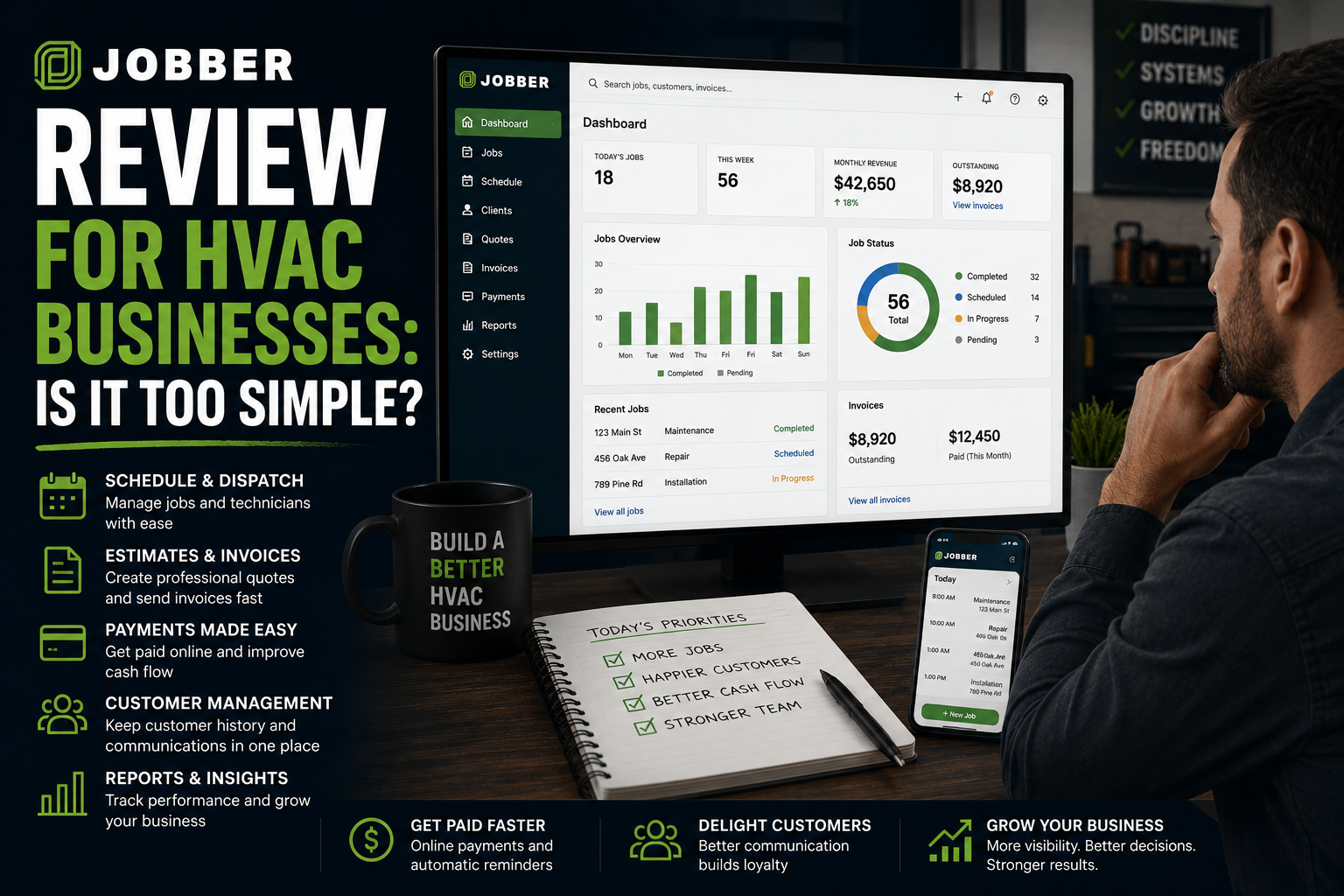
Table of Contents
Introduction
Jobber is one of the first software platforms many HVAC owners look at when they are tired of running the business from text messages, paper invoices, a shared calendar, and memory.
That makes sense.
For a small HVAC company, you do not need a complicated system just to book calls, send estimates, collect payment, and keep customer history in one place.
You need fewer things getting missed.
The real question is not whether Jobber is good.
The real question is:
Is Jobber enough for the HVAC company you are building?
For a small residential service company, Jobber can be a major upgrade.
For a growing operation with multiple departments, complicated installs, detailed price books, heavy membership volume, and stronger reporting needs, it may eventually feel too simple.
This review breaks down where Jobber works well, where it starts to feel limited, and who should consider it.
Quick Verdict
Jobber is usually a strong fit for small HVAC companies that need a clean way to manage daily service work.
It can help organize:
- Customer records
- Scheduling
- Dispatch
- Quotes
- Invoices
- Payments
- Job notes
- Follow-up
- Online booking
- Review requests
Jobber is probably a good fit if your biggest problem is disorganization.
It may not be the best long-term fit if your biggest problem is advanced dispatch, deep reporting, install profitability, commercial projects, or managing multiple departments.
The simple version:
Jobber helps a small HVAC company get organized.
It may not be enough once the business needs tighter control.
For a direct comparison between a simple platform and a more HVAC-focused system, see Jobber vs. FieldEdge: Best HVAC CRM for Small Teams.
What Jobber Does for HVAC Companies
Jobber is field-service software built around the basic workflow of a service business.
For an HVAC company, that means moving the customer from first call to completed job without losing details along the way.
A typical workflow looks like this:
| Step | Workflow |
|---|---|
| 1 | Customer calls or books online |
| 2 | The office schedules the job |
| 3 | A technician gets dispatched |
| 4 | The technician sees customer and job details |
| 5 | The company sends an estimate or completes the repair |
| 6 | The invoice goes out |
| 7 | Payment gets collected |
| 8 | Follow-up happens when needed |
That may sound simple.
But a lot of HVAC companies still manage those steps across too many places.
Customer notes are in text messages.
Scheduling lives on a whiteboard.
Estimates sit in email.
Invoices get sent late.
Nobody knows which customers need follow-up.
That is where Jobber can help.
Where Jobber Is Strong
1. It Is Easier to Adopt Than Bigger Platforms
A small HVAC company usually does not need a giant enterprise system.
It needs a system the team will actually use.
That is one of Jobber’s biggest advantages.
The office can book jobs, technicians can see job details, estimates can be sent, and invoices can go out without making the team feel like they need to learn complicated software.
That matters because software only works when it becomes part of the day-to-day routine.
A platform with fewer features that everyone uses is better than a bigger system nobody touches.
For a broader look at the CRM options that fit each contractor stage, see best HVAC CRM systems for small to large contractors.
2. It Cleans Up the Basic Service Workflow
For a smaller HVAC company, basic organization creates real value.
Jobber can help keep:
- Customer history in one place
- Job notes attached to the right account
- Estimates connected to the job
- Invoices sent faster
- Payment collection more consistent
- Technician schedules easier to manage
- Follow-up tasks from disappearing
Missed estimates cost money.
Late invoices cost money.
Customers calling back because nobody can find their history costs money.
A simple system that keeps the basics tight can pay for itself quickly.
For many small companies, the change from disconnected files to one customer record is more important than adding advanced software. See CRM vs. spreadsheet for HVAC companies.
3. It Is a Good Fit for Residential Service Work
Jobber makes the most sense for HVAC companies that are mainly doing:
- Repair calls
- Maintenance visits
- Tune-ups
- Smaller replacements
- Residential service agreements
- Light install work
- Customer follow-up
For a company with a few technicians, that is often enough.
The main goal is to give the office and field team one source of truth.
Instead of asking, “Who talked to this customer?” or “Did we send that estimate?” the answer should already be in the system.
4. It Helps Small Teams Look More Professional
A smaller HVAC company can still deliver a strong customer experience.
The customer does not care whether you have 30 trucks.
They care whether the company answers the phone, shows up when promised, explains the work clearly, sends the invoice, and follows up.
Jobber can help support that experience by giving the business better scheduling, communication, estimates, invoices, and customer records.
That is a real advantage when you are trying to compete with larger companies.
Where Jobber Can Feel Too Simple
1. Reporting May Not Go Deep Enough
Small companies usually do not need twenty dashboards.
But growing companies eventually need better answers.
For example:
- Which technician has the highest average ticket?
- Which technician creates too many callbacks?
- Which lead source creates profitable work?
- Which memberships are due for renewal?
- Which installs are losing money?
- Which department is falling behind?
- Which estimates are going cold?
Once the company has multiple departments or managers, the owner needs more than a simple view of jobs and invoices.
They need real operational visibility.
That is where a larger platform may become more useful.
2. Complex Dispatch Can Outgrow Simplicity
A small team may only need a basic scheduling board.
But dispatch gets harder as the company grows.
You start dealing with:
- Different technician skill levels
- Emergency calls
- Maintenance visits
- Replacement estimates
- Install crews
- Larger service areas
- Return-trip prevention
- Technician productivity
Every unnecessary truck roll costs money.
Every technician sitting in traffic costs money.
A company with two or three trucks can often manage that with a simpler system.
A company with eight or ten trucks may need more dispatch control.
When dispatch and technician coordination become the main bottleneck, compare the workflow needs against best HVAC dispatch software.
3. Install Operations Can Become More Complicated
Jobber can work well for basic estimates and job management.
But a bigger install department may need more structure around:
- Labor budgets
- Equipment ordering
- Material tracking
- Change orders
- Crew scheduling
- Install job costing
- Project status
- Margin control
A $15,000 install is not automatically profitable.
If labor runs long, materials get missed, or the crew has to return twice, the margin disappears fast.
As install work becomes a larger part of the business, the company may need deeper operational tools.
4. Commercial HVAC Is a Different Workflow
Commercial work often comes with:
- Work orders
- Service contracts
- Multiple properties
- Project managers
- Longer payment cycles
- Commercial billing
- Larger projects
- More detailed reporting
A residential-first tool can work for a while.
But commercial HVAC companies often outgrow simpler platforms sooner.
Jobber Pros and Cons for HVAC Companies
| Pros | Cons |
|---|---|
| Easy for small teams to adopt | May feel limited as the company becomes more complex |
| Good for scheduling, estimates, invoices, and payments | Not built around deep enterprise reporting |
| Helps replace spreadsheets and paper workflows | Larger install departments may need more control |
| Useful for customer history and follow-up | Advanced commercial workflows may require another platform |
| Good fit for residential HVAC service | Complex dispatch needs can outgrow simpler tools |
| Can help small teams look more organized | Owners may eventually want deeper job costing and accountability |
Who Jobber Is Best For
Jobber is usually a strong fit for:
- One- to five-truck HVAC companies
- Owner-led businesses
- Residential repair and maintenance companies
- Teams moving away from manual systems
- Companies that need better estimates, invoices, and payment collection
- Businesses that want faster software adoption
- Owners who need to stop losing track of customer history and follow-up
It is especially useful when the biggest problem is:
“We are busy, but too many things are slipping through the cracks.”
For a similar small-team option with a broader daily service workflow, see Housecall Pro Review: Pros, Cons, and Pricing Breakdown.
Who Should Consider Something More Advanced
You may want to look at FieldEdge, ServiceTitan, BuildOps, or another more advanced system if:
- You have multiple departments
- You run a serious install operation
- You manage commercial HVAC work
- You have a large maintenance-agreement base
- Dispatch has become a major bottleneck
- You need deeper technician reporting
- You want stronger job-costing controls
- You have multiple locations
- The owner needs more management visibility
That does not mean Jobber failed.
It means the business outgrew the type of system it needed at an earlier stage.
For growing residential service companies, FieldEdge Review: Features, Pricing, and Best Use Cases explains where a more structured HVAC-focused platform can fit.
Jobber Pricing: What Should HVAC Owners Watch?
Jobber uses tiered pricing, which can make it easier for smaller companies to understand the starting investment.
But do not compare software only by the monthly cost.
Look at the full cost:
- Monthly plan price
- Number of users
- Payment processing fees
- Add-ons
- Setup time
- Training time
- Data cleanup
- Lost productivity during rollout
The cheapest platform is not always the best value.
A low-cost system that allows missed calls, lost estimates, late invoices, or poor follow-up is expensive.
At the same time, a large enterprise platform is expensive if your team only uses it as a calendar.
The right question is:
“What problem will this software help us stop losing money on?”
How to Know Whether Jobber Will Pay for Itself
1. Are You Losing Work Through Disorganization?
Look for:
- Missed calls
- Estimates that never get followed up
- Invoices that go out late
- Customer notes spread across texts and emails
- No clear schedule
- Technicians calling the office for basic information
If that is happening, Jobber can create value quickly.
2. Are You Ready to Use It Every Day?
The system only works if the team uses it.
That means:
- Office staff book jobs in it
- Technicians update job details
- Estimates get sent from it
- Invoices go out from it
- Payments are recorded
- Follow-up tasks get completed
Do not buy software and hope it changes behavior by itself.
Create the expectation that the system becomes part of how work gets done.
3. Do You Need Simplicity or More Control?
This is the real decision.
Choose Jobber when the company needs to get organized.
Choose a more advanced platform when the company needs tighter control over departments, dispatch, pricing, installs, reporting, and profitability.
For a broader comparison across connected software categories, review best HVAC CRM software compared.
FAQ
Is Jobber good for HVAC companies?
Yes. Jobber can be a good fit for small residential HVAC companies that need scheduling, estimates, invoicing, payments, customer history, technician job details, and follow-up in one place.
Is Jobber too simple for HVAC companies?
Not for every company.
For a one- to five-truck residential HVAC business, simplicity can be a strength.
Jobber may start to feel too simple when the company has multiple departments, complex installs, advanced dispatch needs, commercial work, or deeper reporting requirements.
Is Jobber better than Housecall Pro?
It depends on your team and workflow.
Both are often good choices for smaller residential service companies.
The better option is usually the one your office and technicians will actually use consistently.
When should an HVAC company move beyond Jobber?
Consider moving when your current system is creating a real bottleneck.
That may be weak dispatch, limited reporting, untracked install costs, poor membership visibility, multiple locations, or complex commercial workflows.
Final Thoughts
Jobber is not too simple for the right HVAC company.
For a smaller residential service business, simple can be exactly what you need.
The goal is not to buy the biggest platform.
The goal is to stop missed calls, lost estimates, late invoices, scattered customer information, and weak follow-up.
Jobber can do that well for a small team.
But as the business grows, the owner should keep asking one question:
“Is this software still helping us run better, or are we starting to outgrow it?”
That answer will tell you when it is time to move up.