
HVAC Workflow Optimization: From Call to Payment System
Build a seamless workflow that connects customer calls, scheduling, dispatch, invoicing, and payment collection to improve efficiency and increase profitability.
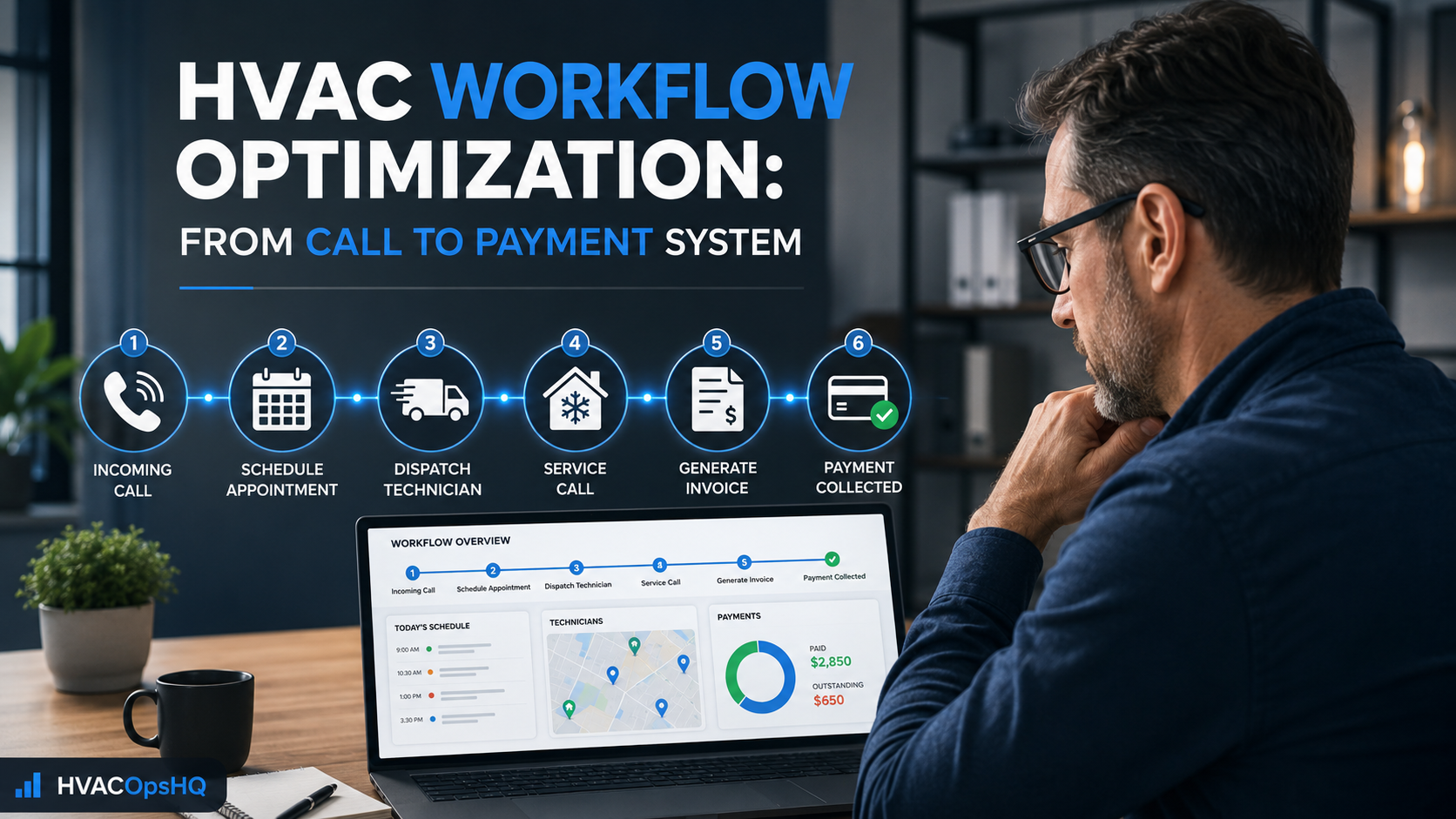
Table of Contents
Introduction
Most HVAC companies do not have a lead problem.
They have a handoff problem.
The phone rings.
The office books the call.
The dispatcher sends the technician.
The technician runs the job.
The estimate gets sent.
The invoice goes out.
Payment gets collected.
At least, that is how it is supposed to work.
In a lot of companies, the process breaks somewhere in the middle.
The call gets booked without enough information.
The wrong technician gets sent.
The customer is not updated.
The estimate never gets followed up.
The invoice goes out late.
Payment sits for weeks.
Each problem feels small on its own.
Together, they create lost revenue, wasted truck time, callbacks, frustrated customers, and a business that feels harder to run than it should.
That is why workflow optimization matters.
The goal is not to make the company feel more corporate.
The goal is to make sure every job moves cleanly from the first call to collected payment.
If the source of the operational problem is still unclear, begin with the HVAC business operations assessment checklist to review the complete system before redesigning one workflow.
If you need help turning those observations into a practical operating model, explore our workflow optimization consulting.
What Is HVAC Workflow Optimization?
HVAC workflow optimization means improving the repeatable steps your company follows from lead to payment.
A strong workflow connects:
- Incoming calls
- Booking
- Scheduling
- Dispatch
- Technician preparation
- Customer communication
- Estimates
- Invoicing
- Payment collection
- Follow-up
- Membership renewals
- Reporting
The goal is simple:
Every job should have a clear next step.
When nobody knows what happens next, jobs get delayed, customers get ignored, and money gets left behind.
A good workflow removes guesswork.
The HVAC Workflow: From Call to Payment
A clean HVAC workflow usually follows this path:
| Step | Workflow Stage |
|---|---|
| 1 | Customer calls, fills out a form, or sends a message |
| 2 | Office qualifies and books the job |
| 3 | Dispatch assigns the right technician |
| 4 | Customer receives confirmation and updates |
| 5 | Technician arrives prepared |
| 6 | Technician diagnoses the issue and presents options |
| 7 | Customer approves work |
| 8 | Work is completed and documented |
| 9 | Invoice is sent immediately |
| 10 | Payment is collected |
| 11 | Follow-up, reviews, memberships, and future reminders happen |
Every step affects the next one.
A weak booking process creates bad dispatch.
Bad dispatch creates wasted drive time.
Poor technician notes create callbacks.
Late invoicing creates cash-flow problems.
No follow-up creates lost revenue.
Step 1: Answer and Qualify the Call Correctly
The workflow starts before the technician ever leaves the shop.
A CSR or office team member needs enough information to book the call properly.
At a minimum, collect:
- Customer name
- Address
- Best phone number
- Type of issue
- Equipment type
- Whether heating or cooling is out
- Urgency level
- Preferred appointment time
- Membership status
- Previous service history
- Whether there is an open estimate
- Any access or safety concerns
Do not treat every call like a generic service request.
A no-cool call for an elderly homeowner during a heat wave is different from a thermostat issue scheduled for next week.
The better the information at booking, the better the dispatch decision.
Step 2: Use Clear Job Types
Job types help the office and dispatch team understand what the call actually requires.
Examples may include:
- No cooling
- No heating
- Maintenance visit
- Diagnostic call
- Thermostat issue
- Water leak
- System replacement estimate
- Indoor air quality consultation
- Warranty work
- Callback
- Commercial service request
Job types make it easier to:
- Assign the right technician
- Estimate job duration
- Set customer expectations
- Track conversion
- Review profitability
- Identify recurring issues
Without clear job types, every call becomes “service call,” which tells you almost nothing.
Step 3: Dispatch the Right Technician
Dispatch is not just filling an open slot.
It is matching the right technician to the job.
The dispatcher should consider:
- Technician skill level
- Equipment experience
- Customer location
- Current route
- Membership status
- Job urgency
- Previous customer history
- Open estimates
- Technician workload
- Available parts or tools
Every unnecessary truck roll costs money.
Every technician sent to the wrong job costs time.
Every second trip hurts margin.
A better dispatch process can increase daily capacity without adding another truck. For a deeper look at route planning, technician matching, and missed-call reduction, see how to improve HVAC dispatch efficiency.
Step 4: Confirm the Appointment
Customers should not have to wonder whether the company received their request.
Send an appointment confirmation as soon as the job is booked.
That confirmation can include:
- Appointment date
- Arrival window
- Company phone number
- What the customer should expect
- Any preparation needed
- A link to reschedule if necessary
Then send an on-the-way notification when the technician is dispatched.
This reduces inbound calls, improves customer confidence, and helps the technician arrive to a prepared customer.
Good communication is not a bonus.
It is part of the job.
Step 5: Make Sure the Technician Arrives Prepared
A technician should not arrive at the house and immediately call the office asking for history.
Before the truck rolls, the technician should have access to:
- Customer notes
- Equipment history
- Previous repairs
- Membership status
- Warranty details
- Open estimates
- Job photos
- Service agreement details
- Payment history
- Special instructions
The technician should know what happened last time.
The customer should not need to explain the same issue over and over.
Prepared technicians work faster, make fewer mistakes, and create a better customer experience.
Step 6: Diagnose, Present Options, and Document the Job
Once the technician is on site, the workflow should continue inside the field app or job system.
The technician should document:
- Diagnosis
- Photos
- Recommended repairs
- Parts needed
- Labor time
- Equipment condition
- Customer concerns
- Work completed
- Future recommendations
Then present clear options.
For example:
| Option | Example |
|---|---|
| Good | Replace failed part |
| Better | Replace failed part and add system protection |
| Best | Repair issue, add protection, and enroll in a maintenance plan |
The goal is not to pressure customers.
The goal is to give them a clear choice.
Technicians should not be pricing from memory in the driveway.
A price book protects margin and keeps pricing consistent across the team.
Step 7: Collect Approval Before Work Starts
A lot of profit leaks happen because work gets started before the customer fully understands the scope or price.
Use digital approvals for repairs, replacements, change orders, and larger work.
The approval should show:
- Scope of work
- Price
- Equipment or parts
- Any exclusions
- Warranty information
- Payment terms
- Financing options if applicable
This protects the customer and the company.
It also prevents the “I thought that was included” conversation later.
Step 8: Complete the Job and Close It Properly
A completed repair is not complete until the job record is closed correctly.
Before leaving, the technician should confirm:
- Work was completed
- Customer understands what was done
- Customer knows any next steps
- Photos and notes are attached
- Parts are documented
- Invoice is ready
- Payment is collected or scheduled
- Membership opportunity is presented if relevant
- Follow-up is assigned if needed
This is where a lot of companies get sloppy.
The technician finishes the repair but does not close the job.
The invoice is delayed.
The office does not know whether payment was collected.
The customer does not receive a receipt.
Then the business has to chase information later.
Close the job while the technician is still on site.
Clear HVAC SOPs give the office and field team a shared definition of what “closed correctly” actually means.
Step 9: Invoice and Collect Payment Immediately
A completed job should not sit for days before the invoice goes out.
For residential work, the goal should usually be:
Complete the job. Send the invoice. Collect payment.
Use payment tools that allow technicians to:
- Take card payments in the field
- Send digital invoices
- Collect deposits
- Save payment methods
- Text receipts
- Offer financing
- Track outstanding balances
Late invoicing creates cash-flow problems.
Uncollected invoices create bigger ones.
The faster you collect, the healthier the company becomes.
For a more complete financial process around deposits, collections, reserves, and invoices, read cash flow management tips for HVAC business owners.
Step 10: Follow Up After the Job
The workflow should not end when payment is collected.
Follow-up creates repeat business.
Depending on the job, your process may include:
- Review request
- Thank-you message
- Maintenance-plan offer
- Estimate follow-up
- Replacement consultation
- Satisfaction check
- Warranty reminder
- Seasonal tune-up reminder
The easiest customer to sell to is the one who already trusts you.
Follow-up helps keep that relationship active.
Where HVAC Workflows Usually Break
Most workflow problems happen in the handoffs.
The Office to Dispatch Handoff
The CSR books the call, but the dispatcher does not have enough information.
The wrong technician gets sent.
The appointment takes longer than expected.
The customer is frustrated before the technician arrives.
The Dispatcher to Technician Handoff
The technician gets the address but not the job history, equipment notes, membership status, or customer concerns.
That creates wasted time and repeat questions.
The Technician to Office Handoff
The technician finishes work but does not close the job correctly.
The office does not know whether payment was collected, whether a follow-up is needed, or whether the invoice is ready.
The Estimate to Follow-Up Handoff
The estimate gets sent.
Nobody owns the next step.
The customer goes cold.
The company loses a job it already paid to generate.
Build SOPs Around the Workflow
Your workflow should not live only in the owner’s head.
Turn the repeatable steps into simple SOPs.
You do not need a 100-page manual.
You need clear instructions for the work that repeats.
Examples:
- How to answer a new service call
- How to book an emergency call
- How to handle a membership customer
- How to dispatch a technician
- How to close out a service call
- How to collect payment
- How to follow up on an open estimate
- How to request a review
- How to handle a callback
- How to hand off an install job
The goal is consistency.
A company with clear workflows can train people faster and make fewer expensive mistakes.
Use Software to Support the Workflow
Software should make the workflow easier.
It should not create more steps.
A good field service platform can help connect:
- Customer records
- Scheduling
- Dispatch
- Technician mobile apps
- Estimates
- Invoices
- Payments
- Memberships
- Customer communication
- Reporting
- Follow-up tasks
But software alone is not the answer.
Bad processes inside software are still bad processes.
Define the workflow first.
Then configure the software to support it.
When evaluating platforms, focus on whether the tool supports the actual handoffs your team needs. See field service management software for HVAC for the workflow features worth evaluating.
After selecting a platform, follow the HVAC software implementation guide to translate the future workflow into configuration, training, testing, and go-live.
Track the Right Workflow Metrics
You do not need to measure everything.
Track the numbers that show whether the workflow is working.
Start with:
- Call answer rate
- Booking rate
- Average response time
- Jobs completed per technician
- Average ticket
- Estimate conversion
- Estimate follow-up rate
- Invoice collection time
- Payment collection rate
- Callback rate
- First-time fix rate
- Membership sales
- Review request completion
- Revenue per truck
Those numbers show where jobs are slowing down or leaking money.
A Simple Workflow Review Process
Review workflow performance every week.
Ask:
- Where did jobs get stuck?
- Which handoffs failed?
- Were calls booked correctly?
- Were technicians dispatched properly?
- Did invoices go out the same day?
- Did estimates get followed up?
- Were callbacks tracked?
- Are customers receiving updates?
- Are technicians closing jobs correctly?
Do not wait for a major problem.
Small workflow improvements compound.
A cleaner booking process leads to better dispatch.
Better dispatch leads to fewer repeat trips.
Fewer repeat trips improve margins.
Better closeout improves cash flow.
That is how operations get stronger.
Better technician scheduling practices can support this process by protecting appointment windows, reducing drive time, and avoiding overloaded daily routes.
FAQ
What is HVAC workflow optimization?
HVAC workflow optimization means improving the repeatable process from customer call through scheduling, dispatch, service, invoicing, payment, and follow-up.
What is the most important HVAC workflow?
The most important workflow is the full path from first call to collected payment.
A company can lose money at any step if calls are missed, jobs are dispatched poorly, estimates are not followed up, or invoices are delayed.
How can HVAC companies improve workflow efficiency?
Start by mapping the current workflow, identifying where handoffs fail, creating clear SOPs, assigning ownership for each step, using field service software, and reviewing key metrics weekly.
Why do HVAC companies need workflow SOPs?
SOPs reduce guesswork, help train new team members, improve consistency, reduce callbacks, and make sure important steps like invoicing, payment collection, and follow-up do not get missed.
Final Thoughts
A better HVAC workflow does not require more meetings or more complexity.
It requires clear next steps.
From the first call to the final payment, everyone should know what happens next, who owns it, and what information needs to move with the job.
That creates better customer service.
It reduces wasted truck time.
It protects follow-up.
It speeds up payment.
And it gives the owner a business that feels more controlled instead of chaotic.
Continue Reading
- HVAC Business Operations Assessment Checklist
- HVAC SOPs Every Company Should Have
- Improve HVAC Dispatch Efficiency
- Technician Scheduling Best Practices for HVAC Companies
- Reduce HVAC Job Time Without Cutting Corners
- Field Service Management Software for HVAC: What to Look For
- Best HVAC Dispatch Software Compared
- Cash Flow Management Tips for HVAC Business Owners
- HVAC Software Implementation: From Planning to Go-Live